

Running a small business means juggling dozens of manual tasks daily while watching profits slip through the cracks. Business operations automation using AI-driven tools transforms this reality by handling routine workflows automatically. You reclaim hours each week, boost productivity by up to 80%, and increase profitability by 30 to 50% without hiring extra staff or sacrificing quality.
Table of Contents
Key takeaways
| Point | Details |
| Automation delivers measurable gains | SMBs leveraging AI agents see up to 80% productivity improvement and 30 to 50% profit increases within six months. |
| Tiered managed services match growth stages | Foundation tier suits solopreneurs, Growth fits businesses earning $5K to $30K monthly, Scale supports multi-location operations above $30K. |
| Start small for quick wins | Automate high-volume repetitive tasks like scheduling and email first to build confidence and demonstrate ROI fast. |
| Guided onboarding prevents failure | No-code platforms with structured onboarding reduce time to value under four weeks and cut implementation risk by 70%. |
| Continuous optimisation sustains results | Regular monitoring and workflow refinement maintain gains and expand automation scope as your business evolves. |
Introduction to business operations automation
Business operations automation replaces manual, repetitive tasks with AI-driven workflows that run independently. Instead of manually sorting emails, scheduling meetings, processing documents, or tracking time, intelligent agents handle these activities automatically. This frees you to focus on strategic decisions, client relationships, and revenue growth.
Small and mid-sized businesses face unique constraints that make automation especially valuable. You operate with lean teams, fragmented systems, and limited IT budgets. Every hour spent on administrative overhead is an hour not spent growing the business. Automation addresses these pain points directly by reducing workload, eliminating human error, and creating consistent processes that scale without adding headcount.
The benefits extend beyond time savings. Automated workflows improve data accuracy, accelerate response times, and create audit trails for compliance. You gain real-time visibility into operations through dashboards that surface bottlenecks before they become crises. Most importantly, automation delivers measurable financial returns, with SMBs typically seeing:
-
60 to 80% reduction in administrative task time
-
30 to 50% increase in profitability within six months
-
Faster lead capture and customer response cycles
-
Improved employee satisfaction as tedious work disappears
Modern automation platforms are built for operators, not developers. No-code interfaces and guided onboarding remove technical barriers. You implement solutions in weeks, not months, and start seeing returns almost immediately.
Prerequisites and choosing your managed services tier
Before automating operations, assess your business readiness and technical foundation. You need stable internet access, clarity on which workflows consume the most time, and defined goals for what success looks like. Understanding your current pain points helps you prioritise automation targets and measure progress accurately.
Most no-code automation platforms reduce time to value significantly compared to traditional IT projects. However, selecting the right managed services tier ensures you get features aligned with your growth stage and digital complexity. Mismatched tiers waste budget or leave critical needs unmet.
Managed web services tiers overview:
| Tier | Setup Cost | Best For | Key Features |
| Foundation | $825 | Solopreneurs, early-stage businesses | 5 to 7 page site, managed hosting, basic SEO, ongoing maintenance |
| Growth | $1,650 | Businesses earning $5K to $30K monthly | Custom brand design, local SEO, lead capture, analytics, priority support |
| Scale | $3,300 | Multi-location or ecommerce operations above $30K monthly | Advanced SEO, conversion optimisation, CRM readiness, staging environments, monthly reviews |
Choose your tier based on monthly revenue, website complexity, and growth trajectory. Foundation works if you need a professional online presence without bells and whistles. Growth suits businesses scaling past initial traction who need lead generation and brand differentiation. Scale fits established operations requiring advanced analytics, multi-location coordination, or ecommerce functionality.
All tiers include continuous optimisation and three-day free trials, ensuring your site evolves rather than stagnates. This managed approach eliminates the $5K to $15K agency markup and the DIY weekends that never end.
Pro Tip: Start with the tier matching your current revenue, not aspirational goals. You can upgrade seamlessly as your business grows, avoiding upfront costs for features you won’t use immediately.
Technical prerequisites are minimal with modern platforms. If you can send email and browse websites, you can deploy AI agents. The critical requirement is commitment to the onboarding process, which structures initial setup and ensures you understand how to monitor and refine automated workflows.
Step-by-step automation implementation
Successful automation follows a methodical approach that builds confidence through early wins before tackling complex workflows. Rushing into advanced scenarios without mastering basics causes confusion and abandonment.
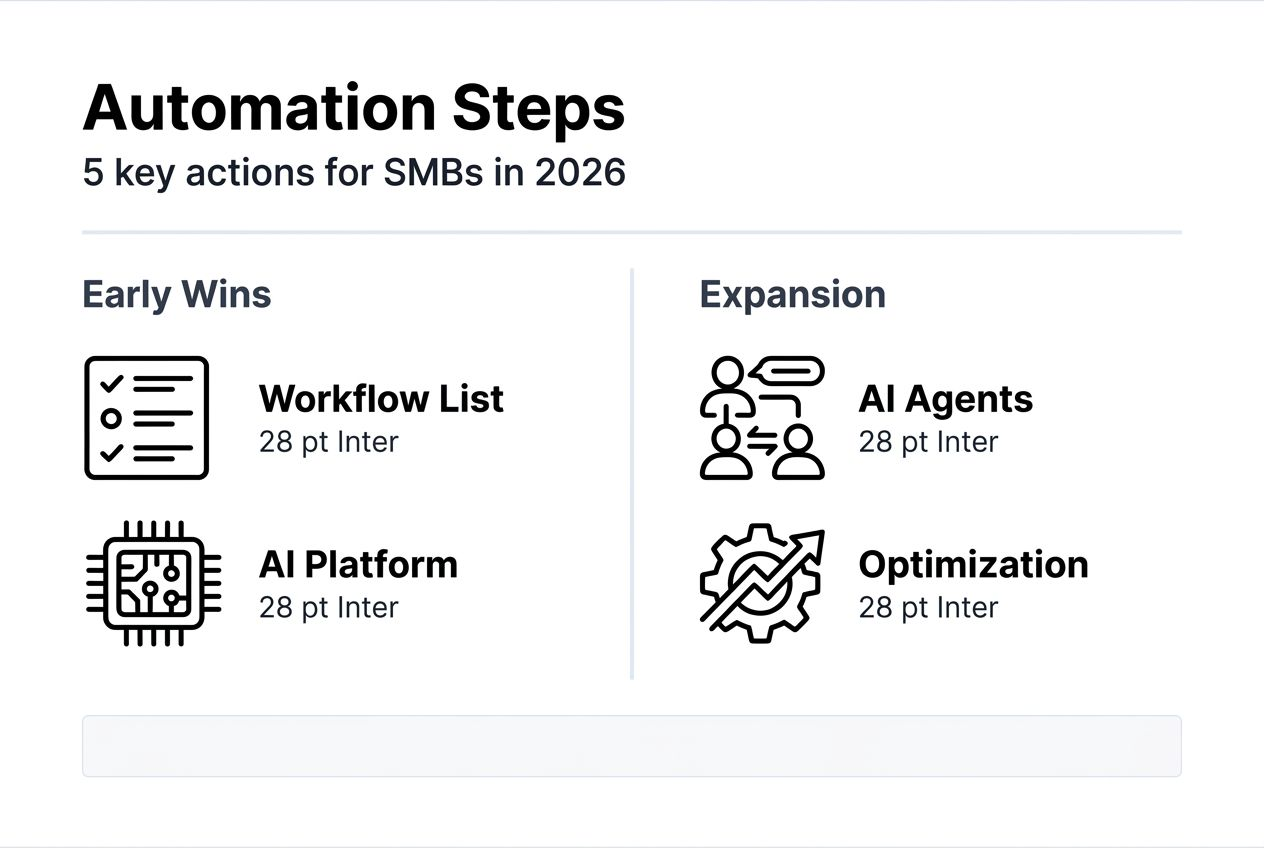
1. Assess and identify high-impact workflows
List all repetitive tasks your team performs weekly. Prioritise by volume and time consumed. Ideal first candidates are simple, rule-based activities like email sorting, calendar scheduling, document filing, or customer inquiry responses. Automating routine scheduling and email delivers immediate productivity gains while demonstrating platform capabilities.
2. Select a no-code AI platform with guided onboarding
Choose tools designed for business operators, not IT specialists. Look for platforms offering structured onboarding that walks you through setup without requiring coding knowledge. The right system integrates with your existing email, calendar, and document tools rather than forcing wholesale migration.
3. Deploy AI agents for core operations
Start with agents handling scheduling, email management, document processing, and basic customer support. Configure each agent using templates provided during onboarding, then test with real scenarios before going live. Monitor performance daily in the first week, adjusting rules as you identify edge cases.

4. Onboard into appropriate managed web services tier
Align your website infrastructure with your automation goals. If you’re automating lead capture, ensure your site tier includes analytics and CRM readiness. Foundation tier provides basics, but growing businesses benefit from Growth or Scale tiers that support advanced conversion tracking and optimisation.
5. Monitor, optimise, and expand scope
Track key metrics weekly using dashboards provided by your platform. Measure time saved, error rates, and workflow completion times. Identify bottlenecks and refine agent configurations. Once initial workflows run smoothly, gradually add automation for more complex tasks like data analysis, content creation, or time tracking.
Pro Tip: Document your workflows before automating them. Written processes reveal hidden steps and exceptions that need handling, preventing surprises after deployment.
No-code platforms with guided onboarding reduce implementation time to under four weeks. This rapid deployment contrasts sharply with traditional IT projects that drag on for months. Quick wins build momentum and stakeholder buy-in for expanding automation across the organisation.
Common mistakes and troubleshooting
Even straightforward automation projects encounter predictable pitfalls. Recognising these traps early saves time and preserves momentum.
Automating complex workflows first
The temptation to tackle your biggest headache immediately is strong. Resist it. Complex workflows involve multiple decision points, exceptions, and integrations that overwhelm first-time automation users. Skipping foundational automation experience leads to a 70% risk of project delay or failure. Start with simple, high-volume tasks that deliver quick wins and build your confidence.
Neglecting guided onboarding
Skipping structured onboarding causes users to miss critical configuration steps and best practises. You end up with agents that work inconsistently or require constant manual intervention, defeating the purpose of automation. Invest time upfront in onboarding sessions and tutorials. The hours spent learning proper setup save weeks of troubleshooting later.
Poor integration with existing workflows
Automation works best when it fits seamlessly into current processes. Forcing your team to adopt entirely new tools or workflows creates resistance and reduces adoption. Choose platforms that integrate with your existing email, calendar, and document systems. Ensure agents can access necessary data sources without requiring duplicate entry.
Insufficient ongoing support and training
Automation isn’t a set-it-and-forget-it solution. Workflows evolve as your business changes, requiring periodic refinement. Team members need ongoing training to handle edge cases and understand when to escalate issues. Budget time for monthly reviews and continuous optimisation to sustain gains.
Common troubleshooting scenarios:
-
Agents processing tasks incorrectly: Review configuration rules and test data. Often, edge cases weren’t accounted for during setup.
-
Integration failures: Verify API credentials and permissions. Many issues stem from expired tokens or insufficient access rights.
-
Low adoption rates: Conduct user interviews to identify friction points. Sometimes simple UI adjustments dramatically improve usage.
-
Performance degradation over time: Monitor data volumes and processing times. Growing datasets may require optimisation or upgraded infrastructure.
When troubleshooting fails, lean on your platform’s support resources. Managed service tiers typically include priority support channels that resolve issues faster than community forums. Escalate persistent problems early rather than tolerating workarounds that erode efficiency.
Expected results and outcomes
Automation delivers quantifiable improvements across multiple dimensions of business performance. Understanding realistic benchmarks helps you set appropriate expectations and measure success accurately.
Productivity and workload metrics
SMBs implementing AI-driven automation typically achieve a 60 to 80% reduction in administrative task time within three to six months. Email processing that consumed two hours daily drops to 20 minutes. Scheduling coordination requiring 90 minutes happens automatically in seconds. Document filing and retrieval becomes instantaneous rather than a scavenger hunt.
This time reclamation translates directly into capacity for revenue-generating activities. Sales teams spend more hours with prospects. Service providers handle more client projects. Owners focus on strategy rather than firefighting operational issues.
Profitability improvements
Reduced labour costs and increased capacity drive measurable profit gains. Businesses consistently report 30 to 50% profitability increases within six months of implementing comprehensive automation. These gains compound over time as you refine workflows and expand automation scope.
Lead capture and conversion growth
Automated response systems ensure no inquiry goes unanswered, even outside business hours. This responsiveness improves conversion rates by 15 to 25% compared to manual follow-up. Combined with managed web services optimising your site for lead generation, you create a self-reinforcing growth engine.
Return on investment timeline
| Timeframe | Expected Outcomes |
| Week 1 to 4 | Platform onboarding complete, first agents deployed, initial time savings visible |
| Month 2 to 3 | Administrative workload reduced by 40 to 60%, team adapts to new workflows |
| Month 4 to 6 | Full productivity gains realised, profitability improvement becomes measurable, automation scope expands |
| Month 7 plus | Continuous optimisation sustains gains, new automation opportunities identified regularly |
“Automation isn’t about replacing humans. It’s about freeing them to do work that actually requires human judgment, creativity, and relationships. The ROI shows up not just in cost savings, but in the quality of work your team can finally focus on.”
Sustaining results through continuous optimisation
Initial gains plateau without ongoing refinement. Schedule monthly reviews to analyse performance data, identify new automation opportunities, and adjust workflows as your business evolves. Platforms offering continuous optimisation as part of managed services maintain momentum and prevent decay that plagues one-time implementations.
The combination of AI automation and managed web services creates a compounding effect. Your operational efficiency improves while your digital presence continuously optimises for conversions. This dual approach accelerates growth beyond what either strategy achieves independently.
Explore HumanOS solutions for your business
Transforming operations from manual chaos to automated efficiency requires the right platform and support structure. HumanOS provides AI-driven automation specifically designed for small and mid-sized businesses ready to scale without sacrificing weekends or sanity.

The platform combines no-code AI agents handling email, scheduling, documents, support, and analytics with fully managed web services across three growth-aligned tiers. Foundation, Growth, and Scale options ensure you get features matching your current needs and budget, with seamless upgrades as you expand.
Guided onboarding removes technical barriers, getting you operational in under four weeks. Continuous optimisation sustains gains rather than letting your systems decay. Backed by a decade of systems architecture experience and a BBB A-rating, HumanOS delivers measurable results with a 30% minimum productivity and profitability improvement guarantee. Start with a three-day free trial and experience how automation reclaims your time for work that actually compounds.
FAQ
What business tasks are easiest to automate first?
Simple, repetitive tasks with high volume are ideal starting points. Email sorting and response, calendar scheduling, document filing, and basic customer inquiries deliver quick wins. These workflows have clear rules and limited exceptions, making them perfect for building automation confidence. Starting small demonstrates ROI fast and builds momentum for tackling more complex processes.
How do I choose the right managed services tier for my small business?
Select based on monthly revenue, website complexity, and growth trajectory. Foundation tier suits solopreneurs and early-stage operations needing professional online presence. Growth fits businesses earning $5K to $30K monthly requiring lead generation and brand design. Scale supports multi-location or ecommerce operations above $30K monthly needing advanced analytics and conversion optimisation. You can upgrade seamlessly as your business expands.
What are common pitfalls that slow down automation success?
Attempting complex workflows before mastering simple ones causes frustration and abandonment. Skipping guided onboarding leads to misconfiguration and inconsistent results. Poor integration with existing systems creates duplicate work rather than eliminating it. Neglecting ongoing optimisation allows workflows to drift and performance to degrade. Invest time in proper setup and continuous refinement to avoid these traps.
How quickly can I see measurable benefits from automation?
Most businesses notice reduced administrative workload within the first month of deployment. Significant productivity gains of 40 to 60% become apparent by month three. Profitability improvements of 30 to 50% typically materialise within six months. No-code platforms with guided onboarding compress time to value to under four weeks, delivering returns much faster than traditional IT projects.
Recommended
-
powered by shaunsaini.com