

Small to mid-sized businesses face a persistent challenge: teams working harder without achieving proportional results. Manual workflows, disjointed communication, and repetitive administrative tasks drain energy from strategic initiatives. AI adoption by SMEs remains relatively low compared to larger firms, yet the opportunity to transform team productivity through intelligent automation has never been more accessible. This guide walks you through identifying bottlenecks, implementing AI-driven solutions, and measuring tangible improvements to help your business thrive in 2026.
Table of Contents
- Identifying Productivity Challenges And Preparing Your Team For AI Adoption
- Step-By-Step Guide To Implementing AI Automation For Team Productivity
- Avoiding Common Mistakes And Troubleshooting AI Productivity Initiatives
- Measuring And Verifying Productivity Improvements From AI Automation
- Discover HumanOS: AI Operating System For Productivity Automation
- How To Improve Team Productivity FAQ
Key takeaways
| Point | Details |
|---|---|
| Identify workflow bottlenecks | Pinpoint specific tasks consuming disproportionate time before selecting AI tools to address them. |
| Start with low-risk automation | Begin with email management or scheduling to build team confidence and demonstrate quick wins. |
| Measure productivity metrics | Track time savings, task completion rates, and employee satisfaction to verify AI impact. |
| Train staff gradually | Foster AI literacy through hands-on workshops rather than overwhelming teams with complex systems. |
| Iterate based on feedback | Use employee insights to refine AI workflows and avoid common implementation pitfalls. |
Identifying productivity challenges and preparing your team for AI adoption
Most SMEs struggle with productivity drains that hide in plain sight. Email chains replace quick conversations. Scheduling meetings consumes hours weekly. Document processing bogs down approval workflows. These inefficiencies compound, creating a culture where urgency trumps importance and strategic work gets perpetually postponed.
Recognising these patterns is the first step toward meaningful change. Walk through your team's typical day and catalogue repetitive tasks that require minimal decision-making yet consume significant time. Customer support tickets answering identical questions. Data entry from invoices into accounting systems. Meeting notes transcribed manually. These are prime candidates for AI automation that can reclaim 15 to 20 hours per employee monthly.
Preparing your team matters as much as selecting the right tools. AI adoption by SMEs remains relatively low partly because employees fear displacement or perceive AI as complicated. Address these concerns transparently by framing automation as a way to eliminate tedious work, not jobs. Share concrete examples of how AI will handle routine tasks while freeing staff to focus on client relationships, creative problem-solving, and professional development.
Building AI literacy doesn't require technical expertise. Start with brief workshops demonstrating how AI tools work in practice. Let team members experiment with simple automation like email sorting or calendar scheduling in a low-stakes environment. Encourage questions and create feedback channels so concerns surface early rather than festering into resistance.
Key preparation steps include:
- Audit current workflows to identify time-consuming repetitive tasks
- Survey employees about pain points and automation concerns
- Establish clear communication about AI's role as a productivity enhancer
- Designate internal champions who can support peers during rollout
- Set realistic expectations about implementation timelines and learning curves
Pro Tip: Document your current productivity baseline before implementing any AI tools. Measure average time spent on email management, scheduling, and document processing weekly. This data becomes essential for demonstrating ROI and justifying continued investment in automation.
For broader context on automating business operations beyond team productivity, explore this business operations automation guide covering financial processes, inventory management, and customer relationship workflows.
Step-by-step guide to implementing AI automation for team productivity
Successful AI implementation follows a structured approach that minimises disruption while maximising adoption. Rushing into enterprise-grade solutions without proper assessment typically leads to abandoned tools and wasted budgets. Instead, follow this proven sequence.
-
Conduct a productivity audit across departments to identify high-impact automation opportunities. Focus on tasks consuming more than five hours weekly per employee that follow predictable patterns. Email triage, meeting scheduling, expense report processing, and customer inquiry routing typically surface as top candidates.
-
Select tools aligned with your specific bottlenecks rather than chasing trendy features. Canada's 2025 G7 Presidency has made accelerating AI adoption by SMEs a key priority, resulting in expanded tool options designed for businesses without technical teams. Prioritise solutions offering transparent pricing, straightforward onboarding, and integration with your existing software stack.
-
Pilot with a small team before company-wide rollout. Choose a department experiencing acute productivity challenges and willing to provide candid feedback. Run the pilot for four to six weeks, tracking both quantitative metrics like time saved and qualitative feedback about user experience.
-
Provide hands-on training that goes beyond feature demonstrations. Show employees how AI automation fits into their daily routines and solves their specific frustrations. Create quick-reference guides and designate go-to support contacts for troubleshooting.
-
Roll out gradually across the organisation, incorporating lessons from the pilot phase. Avoid implementing multiple AI tools simultaneously, which overwhelms teams and makes it impossible to attribute productivity changes to specific solutions.
-
Establish ongoing evaluation cycles reviewing automation performance monthly. Track metrics, gather employee feedback, and adjust workflows based on real-world usage patterns.
| Tool Category | Primary Function | Best For | Integration Complexity |
|---|---|---|---|
| Email Management | Sorting, prioritising, drafting responses | Teams handling 50+ daily emails | Low |
| Scheduling Assistants | Meeting coordination, calendar optimisation | Businesses with frequent client meetings | Low |
| Document Processing | Data extraction, form completion | Operations with high invoice/contract volume | Medium |
| Customer Support | Ticket routing, response automation | Companies with repetitive inquiries | Medium |
| Time Tracking | Automated logging, productivity analytics | Professional services billing by hour | Low |
Pro Tip: Choose AI tools with transparent explainability features showing why the system made specific decisions. This builds trust faster than black-box solutions and helps teams understand how to collaborate effectively with automation.
Platforms like the AI operating system for humans offer integrated suites handling multiple productivity functions through a single interface, reducing the complexity of managing disparate tools while maintaining workflow continuity.
Avoiding common mistakes and troubleshooting AI productivity initiatives
Even well-planned AI implementations encounter predictable obstacles. Recognising these patterns early prevents minor issues from derailing your productivity gains.
Rushing adoption without adequate preparation tops the list of implementation failures. Business owners excited by AI's potential often skip the workflow audit phase and deploy tools that don't address actual bottlenecks. The result: shiny new software that employees ignore because it doesn't solve their real problems. Always start with the pain point, then find the tool, never the reverse.
Ignoring employee feedback creates silent resistance that undermines automation effectiveness. Your team interacts with these tools daily and quickly identifies friction points invisible during initial setup. Establish regular check-ins where staff can voice concerns without fear of appearing resistant to change. Treat feedback as valuable data for optimisation, not complaints to dismiss.
Neglecting data quality sabotages AI performance from day one. Automation tools trained on incomplete, inconsistent, or outdated information produce unreliable outputs that erode trust. Before implementing AI document processing, for example, standardise your invoice formats and clean existing databases. The upfront investment in data hygiene pays dividends through accurate automation.

AI adoption by SMEs remains relatively low often due to implementation challenges including inadequate technical support and unclear ROI expectations. Address these by partnering with vendors offering responsive customer service and establishing realistic timelines for productivity improvements.
Common troubleshooting scenarios include:
- AI tools generating irrelevant email responses: Refine training data with examples of your preferred communication style and industry-specific terminology
- Low employee adoption rates: Identify specific barriers through one-on-one conversations and provide targeted support addressing individual concerns
- Integration failures with existing software: Verify API compatibility before purchase and allocate budget for custom integration if needed
- Inconsistent automation performance: Review edge cases where AI struggles and create manual override protocols for complex situations
Overreliance on AI without human oversight creates new risks. Automation should enhance human judgment, not replace it entirely. Maintain review processes for high-stakes decisions and customer-facing communications to preserve quality and catch errors before they impact your business.
Monitor key performance indicators weekly during the first three months post-implementation. Track metrics like email response time, meeting scheduling efficiency, and document processing accuracy. When performance dips, investigate immediately rather than waiting for quarterly reviews. Small course corrections prevent major problems.
Seek expert support when internal troubleshooting stalls. Many productivity challenges stem from configuration issues rather than tool limitations. Vendors and implementation specialists can often resolve problems quickly that would take your team weeks to diagnose independently.
For insights on applying AI automation specifically to customer-facing operations, review this guide on AI in customer support efficiency, which addresses unique challenges in maintaining service quality while scaling through automation.
Measuring and verifying productivity improvements from AI automation
Quantifying AI's impact on team productivity transforms abstract efficiency gains into concrete business value. Without measurement, you're operating on assumptions rather than evidence.
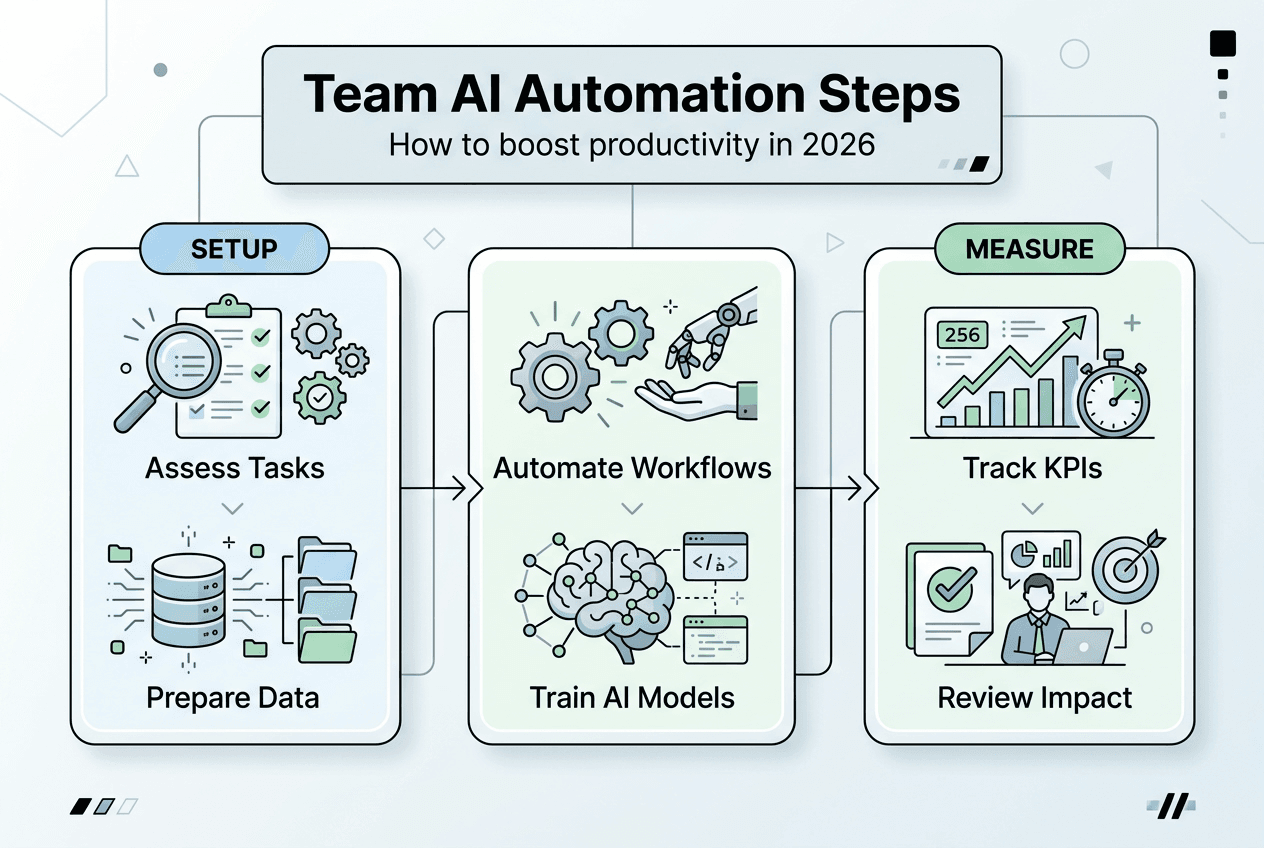
Establish baseline metrics before implementing any automation. Track average time employees spend on target tasks weekly, error rates in manual processes, and employee satisfaction scores related to workload. These benchmarks provide the comparison points needed to demonstrate ROI convincingly.
Key productivity metrics to monitor include:
- Time savings per employee on automated tasks measured weekly through time tracking tools or employee surveys
- Task completion rates comparing pre-automation and post-automation periods to identify throughput improvements
- Error reduction in processes like data entry, invoice processing, or customer communications
- Employee satisfaction scores focusing on workload manageability and job satisfaction
- Cost per task calculated by dividing total labour costs by tasks completed, revealing efficiency gains
- Customer satisfaction metrics if automation affects client-facing operations
Canada's 2025 G7 Presidency emphasises accelerating AI adoption to enhance SME productivity, creating momentum for businesses to invest confidently in measurement frameworks that justify automation spend.
| Metric | Before AI Automation | After AI Automation | Improvement |
|---|---|---|---|
| Email Management (hours/week) | 12 hours | 4 hours | 67% reduction |
| Meeting Scheduling (hours/week) | 5 hours | 1 hour | 80% reduction |
| Document Processing (tasks/day) | 15 tasks | 45 tasks | 200% increase |
| Customer Response Time (hours) | 24 hours | 2 hours | 92% reduction |
| Employee Satisfaction (1-10 scale) | 6.2 | 8.1 | 31% increase |
Continuous monitoring and adjustment ensure productivity gains persist beyond the initial implementation honeymoon. Follow this optimisation cycle:
- Review automation performance metrics monthly, comparing actual results against projected improvements from your initial business case.
- Conduct quarterly employee feedback sessions specifically focused on AI tool effectiveness, gathering suggestions for workflow refinements.
- Analyse usage patterns to identify underutilised features that could deliver additional value with proper training or configuration adjustments.
- Update automation rules and training data based on evolving business needs, ensuring AI tools adapt as your operations grow.
- Benchmark against industry standards to verify your productivity gains match or exceed typical outcomes for similar businesses.
- Reinvest time savings into high-value activities, tracking how reclaimed hours translate into revenue growth, strategic initiatives, or employee development.
Data-driven insights reveal optimisation opportunities invisible during initial setup. If email automation saves 8 hours weekly but employees report still feeling overwhelmed, investigate whether the tool is handling the right categories of messages or if other communication channels need attention. Use analytics dashboards to identify patterns and adjust accordingly.
For comprehensive approaches to tracking productivity improvements, this guide on time tracking strategies for small businesses offers frameworks for measuring both automated and human-driven work effectively.
Discover HumanOS: AI operating system for productivity automation
Transforming team productivity through AI automation requires tools designed specifically for small to mid-sized businesses navigating digital transformation without enterprise IT budgets or technical teams. HumanOS delivers exactly that: an integrated platform combining AI agents for routine operations with managed web services that eliminate infrastructure headaches.

The platform automates email management, scheduling, document processing, customer support, data analysis, and time tracking through a self-guided onboarding system requiring no coding expertise. Businesses typically see an 80% productivity boost and 30% to 50% profitability improvement within months of implementation. The underlying MCP-powered architecture keeps AI explainable and embedded inside existing workflows rather than creating yet another disconnected tool.
Whether you need Foundation-tier managed web services for a conversion-focused online presence or Scale-tier solutions supporting multi-location operations, HumanOS provides continuous optimisation rather than static deliverables that decay post-launch. Explore the AI operating system for humans to see how intelligent automation fits into your 2026 growth strategy, or visit the main HumanOS platform for comprehensive solutions. For businesses ready to upgrade their digital infrastructure, review AI automation web services designed specifically for SMEs.
How to improve team productivity FAQ
What are the best AI tools for small teams in 2026?
The best AI tools address your specific bottlenecks rather than offering the most features. Email management platforms, scheduling assistants, and document processing automation deliver the highest ROI for most small teams. Prioritise solutions with transparent pricing, straightforward onboarding, and integration capabilities with your existing software stack to minimise implementation friction.
How do I train staff for AI adoption without overwhelming them?
Start with hands-on workshops demonstrating practical applications rather than technical explanations. Let employees experiment with simple automation in low-stakes environments and designate internal champions who can provide peer support. Frame AI as a tool eliminating tedious work rather than a threat to job security, and create feedback channels where concerns surface early.
What ROI timeline should I expect from AI productivity tools?
Most businesses see measurable time savings within four to six weeks of implementation, with full ROI typically achieved in three to six months. Email management and scheduling automation often deliver immediate results, while more complex document processing or customer support automation may require longer optimisation periods. Track weekly metrics to identify early wins and justify continued investment.
What are the main risks of implementing AI automation?
Key risks include overreliance on AI without human oversight, poor data quality undermining automation accuracy, and employee resistance from inadequate change management. Mitigate these by maintaining review processes for high-stakes decisions, investing in data hygiene before implementation, and involving staff in tool selection and workflow design from the beginning.
How do I start small and scale AI automation effectively?
Begin with a single high-impact use case like email triage or meeting scheduling affecting your entire team. Run a four to six week pilot, measure results rigorously, and gather employee feedback before expanding. Add new automation capabilities quarterly rather than simultaneously to prevent overwhelm and ensure each tool delivers proven value before introducing the next.
What data privacy concerns should I address with AI tools?
Verify that AI vendors comply with Canadian privacy regulations and offer transparent data handling policies. Ensure customer information processed through automation receives the same protection as manually handled data. Review vendor security certifications, data storage locations, and breach notification procedures before implementation, and establish internal protocols for identifying sensitive information requiring extra safeguards.