

You've heard AI scheduling is the future, but you're skeptical it's just another overhyped tool for big corporations with deep pockets. The truth? AI scheduling is now accessible, affordable, and specifically designed to help small and mid-sized businesses eliminate wasted hours, reduce no-shows, and optimise operations without requiring a tech team. This guide cuts through the confusion to show you exactly how AI scheduling works, what challenges to expect, and how to implement it successfully to boost your productivity by 30% or more in 2026.
Table of Contents
- Understanding AI Scheduling And Its Core Technologies
- Challenges And Risks Of AI Scheduling In Small Businesses
- Implementing AI Scheduling: A Practical Roadmap For SMB Owners
- Maximising Operational Productivity With AI Scheduling Today
- Explore AI Operating Systems To Automate Your Business Scheduling
- Frequently Asked Questions
Key takeaways
| Point | Details |
|---|---|
| AI boosts efficiency | Advanced algorithms reduce scheduling time by 30% and predict no-shows with 90% accuracy |
| Challenges need oversight | Time zone errors and data quality issues require human monitoring and kill switches |
| Phased rollout works best | Pilot testing with a small team helps SMBs refine AI parameters before full deployment |
| Affordable tools available | AI scheduling costs $25-300 monthly and saves over 10 hours weekly for small businesses |
| Hybrid approach balances control | Combining human judgment with AI automation manages edge cases while maximising innovation |
Understanding AI scheduling and its core technologies
AI scheduling transforms how small businesses manage appointments, staff allocation, and resource planning by automating decisions that used to consume hours of manual work. Instead of juggling calendars and chasing confirmations, AI scheduling uses machine learning, predictive analytics, multi-objective optimisation, NLP for SMBs to automate bookings, predict no-shows (90% accuracy), optimise staff allocation, and integrate with calendars/CRMs. These technologies work together to analyse patterns in your booking history, customer behaviour, and operational constraints to make intelligent scheduling decisions in real time.
Machine learning algorithms study past appointment data to identify trends like peak booking times, common cancellation patterns, and customer preferences. Predictive analytics takes this further by forecasting which clients are likely to miss appointments, allowing you to send targeted reminders or overbook strategically. Multi-objective optimisation balances competing priorities such as minimising travel time for field staff whilst maximising appointment density. Natural language processing enables customers to book appointments through conversational interfaces like chatbots or voice assistants, removing friction from the booking process entirely.
The practical benefits are measurable and immediate. AI scheduling reduces the time spent on calendar management by roughly 30%, freeing your team to focus on revenue-generating activities. It predicts no-shows with up to 90% accuracy, letting you fill gaps proactively instead of losing revenue to empty slots. Integration with existing tools like Google Calendar, Outlook, and CRM platforms means AI scheduling fits seamlessly into your current business process automation guide without requiring a complete system overhaul.
Core AI technologies and their business functions:
- Machine learning analyses booking patterns to optimise future scheduling decisions
- Predictive analytics forecasts no-shows and demand fluctuations for proactive planning
- Multi-objective optimisation balances staff availability, customer preferences, and operational constraints
- Natural language processing enables conversational booking through chatbots and voice interfaces
- Calendar and CRM integration synchronises scheduling data across all business systems
Pro Tip: Monitor AI predictions regularly to adjust algorithms for your unique business patterns, especially during seasonal shifts or after major operational changes.
Challenges and risks of AI scheduling in small businesses
Whilst AI scheduling delivers significant productivity gains, small businesses must navigate real technical and organisational challenges to avoid costly mistakes. Time zone handling remains one of the most common failure points, particularly for businesses serving customers across multiple regions or dealing with daylight saving time transitions. A single misconfigured time zone setting can trigger double bookings, missed appointments, and frustrated customers who show up at the wrong time. These errors often go unnoticed until they cascade into operational chaos.
Edge cases include time zone/DST double-booking, API sync failures, overbooking 'busy' blocks, data quality issues, employee resistance; require human oversight, kill switches. API integration failures between your scheduling system and other business tools can create data inconsistencies that compound over time. When your AI scheduler doesn't sync properly with your CRM or calendar, it might overbook resources already marked as busy or fail to update availability after cancellations. Data quality problems such as duplicate customer records, incomplete booking histories, or inconsistent formatting undermine the machine learning models that power AI scheduling accuracy.
Employee resistance poses an equally serious challenge that many SMB owners underestimate. Staff members who've managed scheduling manually for years may view AI as a threat to their job security or doubt its ability to handle complex customer needs. This resistance manifests as workarounds, ignored AI recommendations, or reluctance to correct the system when it makes mistakes. Without proper change management and training, even the most sophisticated AI scheduling tool will fail to deliver value because your team won't trust or use it effectively.
"AI scheduling systems can fail silently at scale, creating cascading errors that only become visible when customer complaints spike. Human oversight isn't optional; it's the safety net that catches edge cases before they damage your reputation."
Common AI scheduling pitfalls and precautions:
- Use IANA time zone database standards instead of relying on abbreviations like EST or PST
- Implement audit logs to track all AI scheduling decisions and identify patterns in errors
- Configure kill switches that allow staff to override AI decisions when edge cases arise
- Establish strict data permissions to prevent AI from accessing or modifying sensitive information
- Schedule regular data quality audits to clean duplicate records and standardise formatting
- Invest in change management training to build staff confidence and address job security concerns
Mitigating these risks requires a deliberate strategy that combines technical safeguards with human oversight. Your AI scheduling system should complement your team's expertise, not replace their judgment entirely. This hybrid approach, which we'll explore in the implementation section, ensures you capture AI's efficiency gains whilst maintaining the flexibility to handle situations that algorithms can't anticipate. The businesses that succeed with AI scheduling are those that treat it as a tool requiring ongoing monitoring and refinement, not a set-it-and-forget-it solution.
Implementing AI scheduling: a practical roadmap for SMB owners
Successful AI scheduling implementation follows a structured, phased approach that minimises risk whilst building organisational confidence in the technology. Implementation for SMBs: phased rollout, data prep, pilot testing, hybrid human-AI; tools like Calendly, vcita fill gaps (7-12% revenue boost). This methodical process ensures your team has time to adapt, your data quality improves incrementally, and you can measure results before committing to full-scale adoption.
Data preparation forms the foundation of effective AI scheduling. Your algorithms can only be as accurate as the information they learn from, so investing time upfront to clean customer records, standardise appointment categories, and establish consistent formatting pays dividends throughout the implementation. This phase also involves auditing your current scheduling workflows to identify pain points, bottlenecks, and edge cases that your AI solution must address. Document these requirements clearly before evaluating tools to ensure you select a platform that matches your actual operational needs.
Pilot testing with a small team or single department allows you to validate AI performance in a controlled environment before rolling out organisation-wide. Choose a pilot group that represents your typical scheduling challenges but has the flexibility to provide feedback and adapt to new processes. During this phase, run your AI scheduling system in parallel with existing manual processes to compare results, identify discrepancies, and fine-tune parameters. Track specific KPIs like booking time reduction, no-show rate changes, and staff satisfaction to quantify the pilot's success and build a business case for broader adoption.
Step-by-step AI scheduling implementation:
- Select an AI scheduling tool that integrates with your existing calendar, CRM, and communication platforms
- Prepare your data by cleaning customer records, standardising categories, and documenting scheduling workflows
- Train staff on AI fundamentals, system capabilities, and override procedures for edge cases
- Run a pilot programme with a small team, measuring KPIs like booking time, no-show rates, and customer satisfaction
- Gather feedback from pilot participants and refine AI parameters based on real-world performance
- Proceed with full rollout only after pilot KPIs meet or exceed baseline performance metrics
| Tool | Monthly Cost | Key Features | Revenue Impact |
|---|---|---|---|
| Calendly | $25-50 | Automated booking, calendar sync, reminders, integrations | 7-10% increase |
| vcita | $45-120 | Client management, payment processing, marketing automation | 10-12% increase |
| Acuity | $34-92 | Customisable intake forms, class scheduling, package sales | 8-11% increase |
Pro Tip: Start with a small pilot group to fine-tune AI parameters and build staff confidence before expanding to your entire organisation.
The hybrid human-AI model represents the optimal approach for most small businesses, combining algorithmic efficiency with human judgment for complex situations. Configure your system so AI handles routine bookings, rescheduling, and reminders automatically, whilst flagging unusual requests, VIP clients, or scheduling conflicts for human review. This division of labour maximises team productivity AI automation whilst preserving the personal touch that differentiates your business from competitors relying entirely on automated systems.
Maximising operational productivity with AI scheduling today
AI scheduling delivers immediate, measurable productivity gains that directly impact your bottom line without requiring enterprise-level budgets or technical expertise. Affordable ($25-300/mo), integrates easily, saves 10+ hrs/week; focus on no-show reduction (40-50%), demand forecasting. These tools slot into your existing technology stack through pre-built integrations with popular calendar, CRM, and communication platforms, eliminating the need for custom development or IT support.

The time savings alone justify the investment for most small businesses. Administrative staff who previously spent 10-15 hours weekly managing calendars, confirming appointments, and handling rescheduling requests can redirect that time toward customer service, sales, or strategic projects. AI handles the repetitive coordination work instantly, responding to booking requests 24/7 without human intervention. This round-the-clock availability captures bookings from customers who prefer scheduling outside business hours, expanding your effective operating window without increasing labour costs.
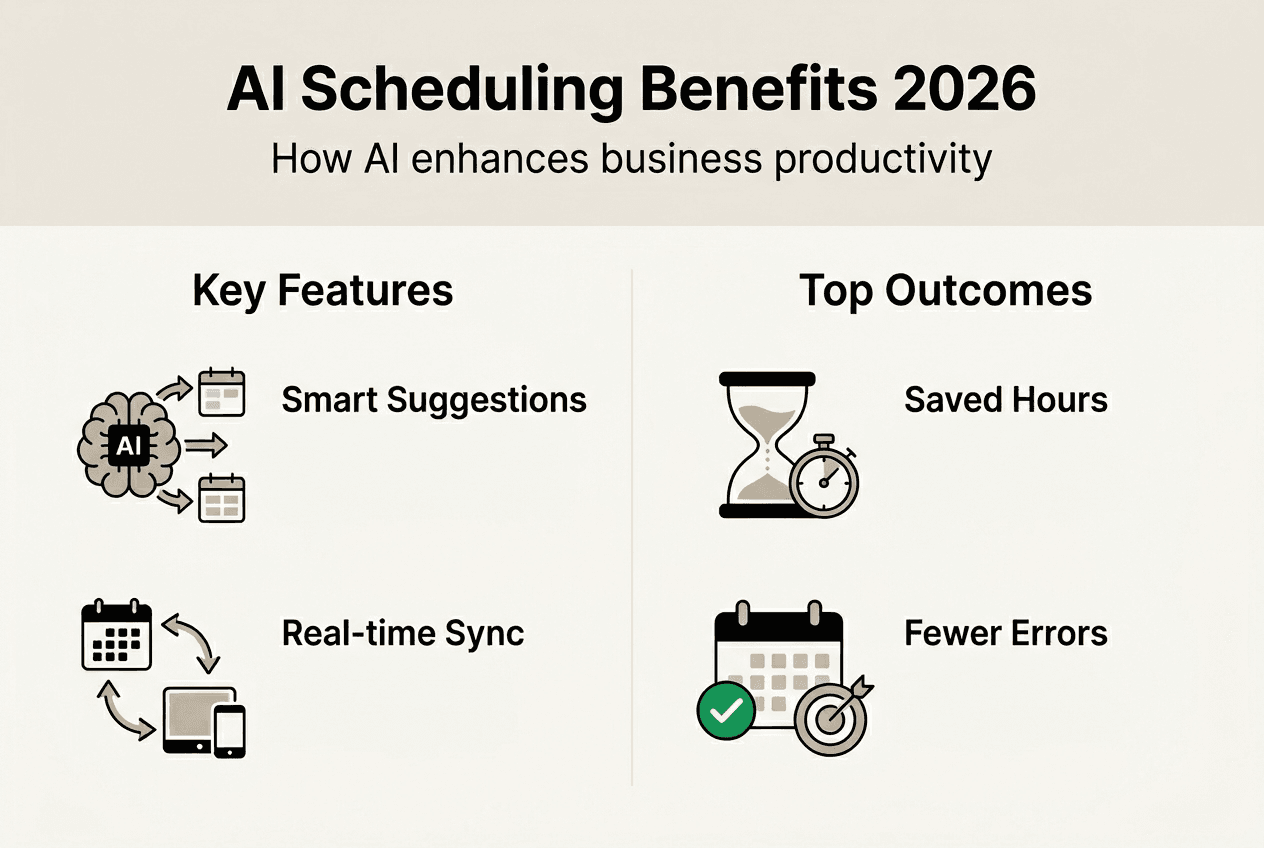
No-show reduction represents another high-impact area where AI scheduling excels. By analysing patterns in customer behaviour, appointment history, and external factors like weather or local events, AI can predict which bookings carry elevated cancellation risk. The system then deploys targeted interventions such as personalised reminder sequences, confirmation requests, or strategic overbooking to minimise revenue loss from empty slots. Businesses implementing AI-powered no-show prevention report reductions of 40-50%, translating directly to increased revenue and better resource utilisation.
Practical tips to maximise productivity with AI scheduling:
- Update your customer data regularly to improve AI prediction accuracy and personalisation
- Train staff quarterly on new AI features and best practices for handling system recommendations
- Monitor KPIs weekly during the first three months, then monthly once performance stabilises
- Configure automated reports that track scheduling efficiency, no-show rates, and revenue per appointment
- Integrate AI scheduling with your time tracking strategies 2026 for comprehensive productivity insights
Common metrics to track:
- No-show rate percentage and trend over time
- Average time spent on scheduling tasks per week
- Customer satisfaction scores related to booking experience
- Revenue per appointment and overall booking volume
- Staff utilisation rates and idle time reduction
Demand forecasting capabilities enable proactive resource planning that prevents both understaffing and wasted capacity. AI analyses historical booking patterns, seasonal trends, and external factors to predict when you'll need additional staff or can safely reduce hours. This intelligence supports smarter hiring decisions, more efficient shift scheduling, and better inventory management for businesses that require materials or supplies for appointments. The result is a leaner operation that maintains service quality whilst eliminating the costs associated with overstaffing or last-minute scrambling to cover unexpected demand.
Pro Tip: Use AI to integrate scheduling with time tracking and operations automation for full productivity gains across your entire workflow, not just calendar management.
The businesses seeing the greatest returns from AI scheduling treat it as part of a broader operational automation strategy rather than a standalone tool. When your scheduling system feeds data into your CRM, triggers follow-up sequences, updates project management boards, and synchronises with time tracking, you create a unified operational ecosystem where information flows seamlessly between systems. This integration eliminates duplicate data entry, reduces errors, and provides the real-time visibility needed to make informed business decisions quickly.
Explore AI operating systems to automate your business scheduling
If you're ready to move beyond basic scheduling tools and implement a comprehensive AI-driven operational system, HumanOS AI operating system offers a complete platform designed specifically for small and mid-sized businesses. The system deploys AI agents that handle not just scheduling but the full spectrum of routine business operations, from email management and document processing to customer support and time tracking, all through a self-guided onboarding process requiring no coding expertise.

HumanOS integrates AI automation directly into your existing workflows rather than requiring you to adapt your processes to fit another disconnected tool. The platform's proprietary architecture keeps AI explainable and governed, so you maintain full visibility into how decisions are made whilst capturing the efficiency gains that drive measurable productivity improvements. Explore AI operating system automation and AI automation web services to see how a unified approach transforms scheduling from an isolated task into part of an intelligent operational backbone.
Frequently asked questions
What challenges do small businesses face when adopting AI scheduling?
Common challenges include time zone errors that cause double bookings, API integration issues that create data inconsistencies, data quality problems from duplicate records, and resistance from employees concerned about job security. Human oversight remains essential to manage these risks effectively. Implementing audit logs and kill switches can safeguard against silent AI failures that compound over time. Proper change management and staff training address resistance whilst building confidence in the technology.
How accurate is AI in predicting no-shows and optimising schedules?
AI solutions can predict no-shows with up to 90% accuracy by analysing patterns in customer behaviour, appointment history, and external factors. This precision helps businesses minimise empty slots through targeted reminders and strategic overbooking. Optimised scheduling reduces booking time by approximately 30%, enabling better resource allocation and freeing staff to focus on revenue-generating activities instead of administrative coordination.
What is the best way for SMBs to implement AI scheduling?
A phased rollout is recommended: start with data preparation to clean records and document workflows, followed by pilot testing with a small team to validate performance. Use a hybrid human-AI approach that automates routine bookings whilst flagging complex situations for human review, maintaining control over edge cases. Track key performance indicators like booking time reduction, no-show rates, and staff satisfaction during the pilot before scaling to full adoption. Consult business process automation guide resources for integrated strategies that connect scheduling with broader operational improvements.
How much does AI scheduling cost for small businesses?
AI scheduling tools typically range from $25 to $300 monthly depending on features, user count, and integration requirements. Entry-level platforms like Calendly start around $25-50 per month and cover basic automated booking and calendar synchronisation. Mid-tier solutions such as vcita or Acuity cost $45-120 monthly and include client management, payment processing, and marketing automation. These investments deliver measurable returns through time savings of 10+ hours weekly and revenue increases of 7-12% from reduced no-shows and improved booking efficiency.
Can AI scheduling integrate with existing business tools?
Most modern AI scheduling platforms offer pre-built integrations with popular calendar systems like Google Calendar and Outlook, CRM platforms, payment processors, and communication tools. These integrations enable seamless data flow between systems without requiring custom development or technical expertise. API connections synchronise appointment data, customer information, and availability across your technology stack, creating a unified operational view. When evaluating tools, prioritise platforms that integrate natively with your existing infrastructure to minimise implementation complexity and maximise immediate value.