

TL;DR:
- MCP agent architecture enables persistent context management, dynamic tool access, and error recovery.
- It significantly boosts operational efficiency with multi-step workflow orchestration and tool transitions.
- Security risks include prompt injection and metadata poisoning, requiring rigorous validation and auditing.
Most business owners assume AI agents are either plug-and-play tools or impenetrable black boxes built for engineers. Neither is true. MCP agent architecture, which stands for Model-Context-Protocol, sits at the intersection of practical business automation and intelligent system design. Understanding how it works gives you a real advantage: you can deploy AI that fits your workflows, recovers from errors, and scales without breaking. This guide strips away the technical fog and gives you a clear, actionable picture of what MCP agent architecture actually does, why it outperforms older approaches, and how it translates into measurable productivity gains for your business.
Table of Contents
- Understanding the basics: What is MCP agent architecture?
- How MCP agent architecture boosts operational efficiency
- Comparing MCP architecture to other AI frameworks
- Security, error recovery, and edge cases: What business leaders must know
- A fresh perspective: What most guides miss about MCP agent architecture
- Next steps: Harnessing MCP agent architecture for your business
- Frequently asked questions
Key Takeaways
| Point | Details |
|---|---|
| MCP agents streamline workflow | They handle complex multi-step tasks and tool integrations, reducing friction for business operations. |
| Error recovery mechanisms | MCP architecture features robust strategies for handling errors, improving reliability and uptime. |
| Security risks and mitigation | Prompt injection and chaining abuse are major risks, but validation and auditing can minimize threats. |
| Choosing MCP vs other frameworks | Use MCP for tool access and orchestration, while Agent Skills and A2A suit reasoning and communication tasks. |
| Practical for business leaders | With the right guidelines, MCP agent architectures are manageable for non-technical stakeholders. |
Understanding the basics: What is MCP agent architecture?
MCP agent architecture is a structured framework that governs how AI agents access tools, manage context across long tasks, and communicate across different domains. Think of it as the operating rules for an AI agent's brain. Without this structure, agents lose track of where they are in a multi-step task, fail when they encounter an unfamiliar tool, or produce inconsistent results when switching between business functions.
Traditional AI models respond to a single prompt and stop. They have no persistent memory of what came before, no ability to call external tools mid-task, and no recovery plan when something goes wrong. MCP agents are fundamentally different. They maintain context across an entire workflow, access tools dynamically, and adapt when conditions change.
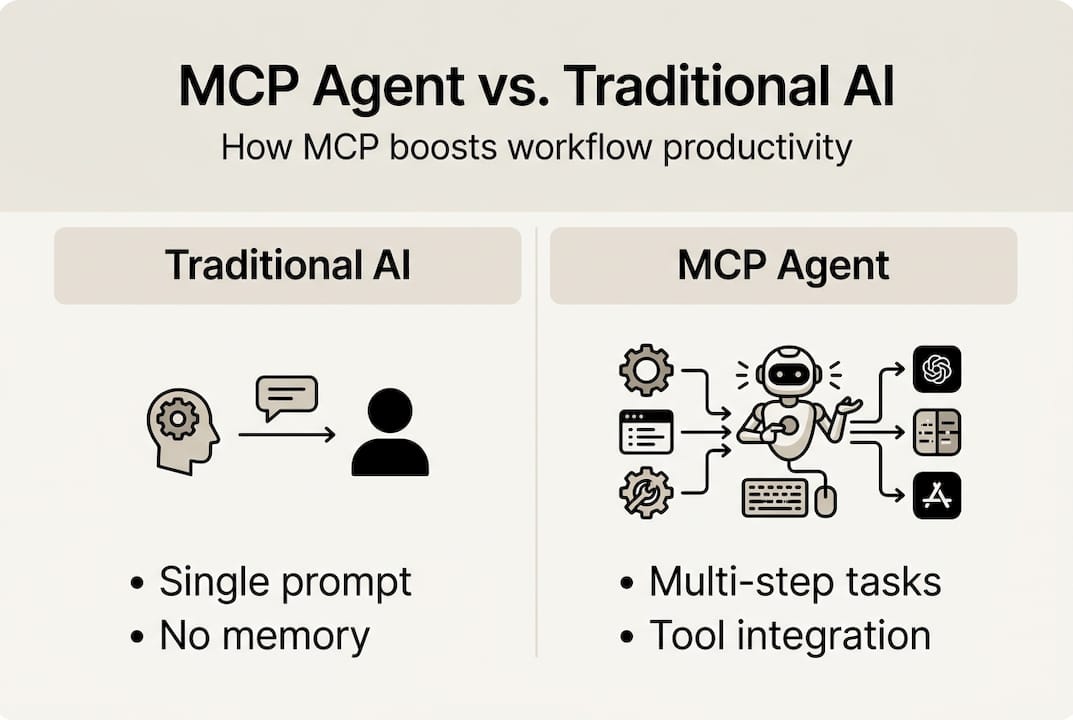
Here is a quick comparison of how MCP agents differ from traditional models:
| Feature | Traditional AI model | MCP agent |
|---|---|---|
| Context retention | Single prompt only | Persistent across workflow |
| Tool access | None or static | Dynamic, on-demand |
| Error recovery | None | Built-in recovery logic |
| Cross-domain handling | Limited | Designed for variation |
| Multi-step task support | Weak | Core capability |
The key edge cases that MCP architecture was specifically built to solve include:
- Long-context overflow: When a task spans dozens of steps, traditional models forget earlier instructions. MCP agents maintain a structured memory.
- Unknown tool handling: If an agent encounters a tool it has not used before, MCP architecture provides a framework for safe exploration and use.
- Cross-domain variation: Switching from a scheduling task to a data analysis task mid-workflow is handled gracefully.
- Temporal dynamics: Tasks that unfold over hours or days are tracked and managed without losing thread.
Research confirms that MCP architecture addresses long-context overflow, unknown tool handling, and cross-domain variation as core design priorities. For business owners, this means fewer broken automations and more reliable outputs.
"The architecture of your AI agents determines whether automation becomes a force multiplier or just another source of technical debt."
If you are exploring how multiple agents coordinate work together, multi-agent systems offer a broader view of how this plays out at scale.
How MCP agent architecture boosts operational efficiency
Efficiency gains from MCP agents are not theoretical. They show up in the actual rhythm of your business operations. Here is how the architecture delivers measurable improvements across common business scenarios.
1. Orchestrating multi-step workflows
MCP agents can handle sequences like: receive a customer enquiry, check inventory, draft a response, schedule a follow-up, and log the interaction. Each step is context-aware, meaning the agent carries forward everything it learned in the previous step. No copy-pasting between tools. No dropped context.

2. Error recovery without human intervention
When a tool fails or returns unexpected data, MCP agents do not simply crash. They apply recovery logic, retry with adjusted parameters, or escalate to a human with a clear summary of what went wrong. Research shows that MCP supports error recovery and temporal management in multi-step tasks, which directly reduces costly downtime.
3. Temporal task management
Some business processes unfold over days. A contract approval workflow, for example, might involve multiple stakeholders across 72 hours. MCP agents track the state of these tasks over time, sending reminders, logging status changes, and completing handoffs without losing momentum.
4. Smooth tool transitions
Your business likely uses a mix of tools: a CRM, a scheduling app, a document platform, and an email client. MCP agents move between these tools fluidly, using each one at the right moment in a workflow rather than forcing you to switch tabs manually.
5. Scheduling and process automation
From booking meetings to routing support tickets, MCP agents handle the repetitive coordination work that drains your team's focus. Connecting these agents to broader AI automation systems amplifies the impact across your entire operation.
Pro Tip: Start by mapping your three most repetitive workflows before deploying MCP agents. Agents perform best when given clear, well-defined processes to follow. Vague instructions produce vague results.
Businesses using well-structured agent architectures report up to an 80% boost in productivity on automated tasks, with profitability improvements in the 30 to 50 percent range. The architecture is not just a technical detail. It is the difference between automation that compounds and automation that collapses.
Comparing MCP architecture to other AI frameworks
Not every AI framework is built for the same job. Understanding where MCP fits relative to other approaches helps you make smarter decisions about what to deploy and when.
MCP vs. Agent Skills
Agent Skills refer to procedural knowledge embedded in an agent through files and fine-tuning. They represent what an agent knows internally. MCP, by contrast, governs how an agent acts externally by accessing tools and managing context. These two approaches are complementary, not competing. MCP complements Agent Skills by handling external tool access while Skills handle internal reasoning.
MCP vs. A2A (Agent-to-Agent) communication
A2A frameworks focus on how agents talk to each other. MCP focuses on how a single agent talks to tools and manages context. If you need agents collaborating on a shared task, A2A is the right layer. If you need an agent to reliably use external tools across a complex workflow, MCP is the right layer. Use MCP for tools, and Skills or A2A for reasoning and multi-agent coordination.
Here is a structured comparison:
| Framework | Primary focus | Best for | Limitation |
|---|---|---|---|
| MCP | Tool access and context | Complex workflows, tool-heavy tasks | Not designed for agent-to-agent comms |
| Agent Skills | Internal reasoning | Domain expertise, specialised tasks | Limited external tool access |
| A2A | Agent communication | Multi-agent collaboration | Does not manage tool context |
| Traditional AI | Single-turn response | Simple queries, content generation | No workflow or tool support |
Key decision points for business leaders:
- Choose MCP when your workflow involves multiple external tools and long task sequences.
- Choose Agent Skills when you need deep domain expertise baked into the agent.
- Choose A2A when multiple specialised agents need to collaborate on a shared goal.
- Use a combination when your operations are complex enough to require all three layers.
The HumanOS platform is built on MCP architecture precisely because most SMB workflows are tool-heavy, multi-step, and require reliable context management across functions.
Security, error recovery, and edge cases: What business leaders must know
Security is where many MCP conversations go quiet. That is a mistake. The same architecture that makes MCP agents powerful also introduces specific risks that business leaders need to understand and manage.
Key security threats in MCP deployments
Research identifies that security risks in MCP include prompt injection, chaining abuse, and metadata poisoning, with mitigation requiring validation and auditing strategies.
- Prompt injection: A malicious input tricks the agent into executing unintended actions. This is especially dangerous when agents have access to sensitive systems.
- Chaining abuse: An attacker exploits the agent's multi-step logic to escalate privileges or access data it should not reach.
- Metadata poisoning: Corrupted tool metadata causes the agent to misuse a tool or expose data incorrectly.
Local vs. remote deployment: A critical distinction
Local MCP deployments operate within your own infrastructure, which means authentication is often implicit and easier to control. Remote deployments require explicit authentication at every tool boundary, which adds complexity but also adds accountability. The security posture of your deployment should match the sensitivity of the data your agents touch.
"Security in MCP is not a feature you add later. It is a design decision you make at the start."
Pro Tip: Before deploying any MCP agent with access to customer data or financial systems, conduct a tool-by-tool audit. Document what each tool can access, what it can modify, and who is notified when it acts.
Practical risk management checklist for business teams:
- Validate all tool inputs and outputs before agents act on them.
- Audit agent activity logs weekly during initial deployment.
- Restrict tool permissions to the minimum required for each workflow.
- Use explicit authentication for any remote tool connections.
- Establish escalation paths so agents hand off to humans when they encounter uncertainty.
For a broader view of how these security principles apply across coordinated agent systems, the multi-agent systems overview provides useful context on governance at scale.
A fresh perspective: What most guides miss about MCP agent architecture
Most technical guides on MCP architecture spend 90% of their time on the mechanics and almost none on the organisational reality of deploying these systems. Here is the uncomfortable truth: the architecture is the easy part.
The hard part is getting your team to trust it. When an agent makes a decision that a human used to make, there is friction. That friction is not a technical problem. It is a communication problem. Business leaders who succeed with MCP deployments are the ones who invest in clear process documentation and transparent agent behaviour, not just the right tech stack.
Another trap we see repeatedly: businesses deploy MCP agents to automate broken processes. The agent faithfully automates the chaos. The result is faster chaos. Fix the process first, then automate it.
For business-centric agent guidance that bridges the gap between technical capability and operational reality, the conversation has to start with your workflows, not with the technology. MCP architecture is a powerful enabler. But it amplifies what you bring to it.
Next steps: Harnessing MCP agent architecture for your business
You now have a clear picture of what MCP agent architecture does, how it compares to alternatives, and where the real risks and opportunities lie. The next move is applying it.

The HumanOS AI operating system is built on this exact architecture, designed to embed AI agents directly into your existing workflows without requiring a single line of code. From scheduling and document processing to customer support and data analysis, every agent is governed, explainable, and measurable. Explore our web services for automation to see how a fully managed approach can put MCP-powered productivity to work for your business. No credit card required to start.
Frequently asked questions
How does MCP agent architecture differ from traditional AI models?
MCP agents manage context, tool access, and workflow steps across multi-step tasks, solving long-context overflow and error recovery problems that traditional single-turn AI models cannot address.
What are the main security risks of MCP agent architecture?
Prompt injection, chaining abuse, and metadata poisoning are the primary risks, and mitigating them requires consistent input validation and regular activity auditing.
When should a business consider MCP agent architecture?
If your workflows involve multiple tool integrations, long multi-step tasks, or varied business contexts, MCP is ideal for tool orchestration and is the strongest architectural choice available.
Can non-technical business leaders manage MCP agent deployments?
Yes. With clear process documentation and structured risk management, including validation and auditing measures, non-technical leaders can confidently oversee MCP agent deployments without needing engineering expertise.