

Most small business owners didn't start their company to spend hours sorting emails, re-entering data, or chasing down scheduling conflicts. Yet that's exactly where the time goes. Repetitive, low-value tasks quietly consume the hours you should be spending on strategy, client relationships, and growth. The good news is that AI tools are no longer reserved for enterprise budgets or technical teams. This guide walks you through a structured, step-by-step approach to identifying your biggest productivity drains, preparing your business for automation, executing with confidence, and measuring real results.
Table of Contents
- Identify productivity drains and set priorities
- Lay the groundwork: Assessment and AI-readiness
- Execute step-by-step automation and workflow redesign
- Measure, refine, and sustain productivity improvements
- Our perspective: What most productivity improvement guides miss
- Ready to accelerate your productivity improvement journey?
- Frequently asked questions
Key Takeaways
| Point | Details |
|---|---|
| Track and prioritise | Identify your top time sinks and set priorities for automation based on volume and impact. |
| Assess before automating | Review your processes, technology, and team readiness to lay the groundwork for smooth AI integration. |
| Implement stepwise | Focus on quick wins first, using a phased approach to automate one workflow at a time. |
| Measure real ROI | Track improvements in revenue, errors, and satisfaction, not just hours, and adjust regularly. |
| Sustain with feedback | Continuous input from your team and customers ensures your productivity improvements last. |
Identify productivity drains and set priorities
Before you automate anything, you need to know exactly where your time is leaking. Most business owners have a rough sense of what slows them down, but instinct alone isn't enough. You need data. Tracking time lost on tasks like customer support, data entry, email, and scheduling is the foundation for genuine improvement.
Spend one week logging every task you and your team complete. You don't need fancy software to start. A simple spreadsheet works. What you're looking for are patterns: tasks that repeat daily, tasks that require little judgement, and tasks that take longer than they should.
Here's a snapshot of where time typically disappears in small businesses:
| Task category | Avg. hours per week | Automation potential |
|---|---|---|
| Email management | 6–8 hours | High |
| Data entry and reporting | 4–6 hours | Very high |
| Scheduling and booking | 3–5 hours | High |
| Customer support queries | 5–7 hours | Medium to high |
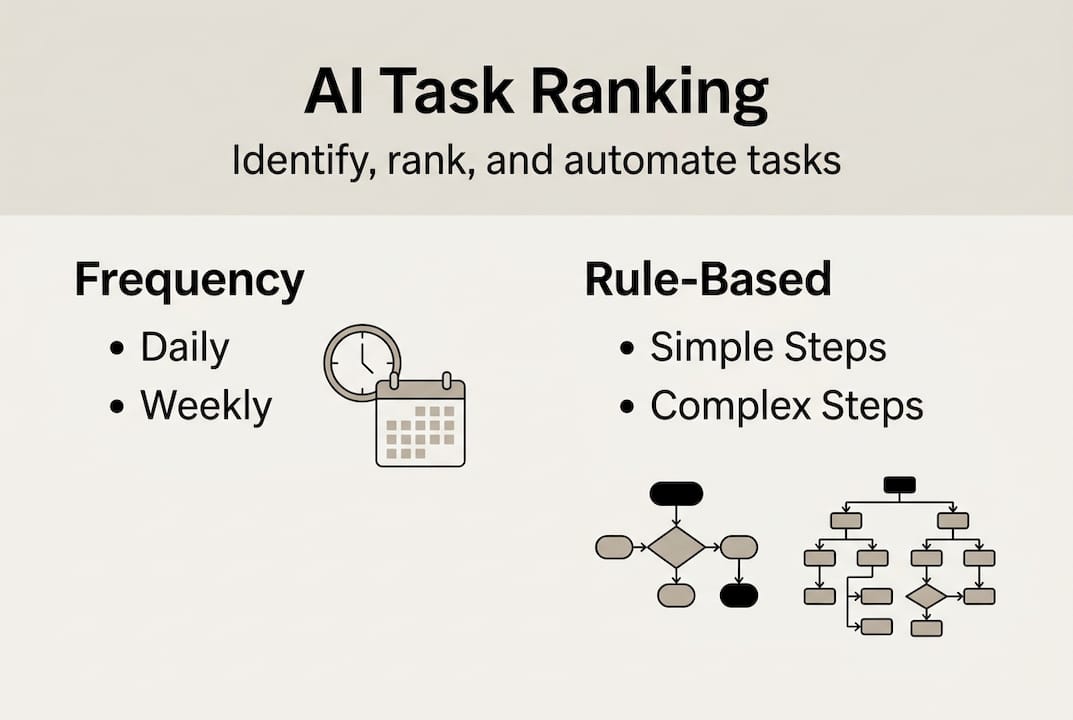
Once you have your data, rank tasks by two factors: how often they occur and how rule-based they are. Rule-based tasks follow a consistent logic, such as routing an invoice to the right folder or sending a booking confirmation. These are your fast wins. Tasks that require nuanced judgement should stay with your team for now.
Building operational efficiency with AI starts with this kind of honest audit. Use the efficiency checklist for SMBs to make sure you're not missing common time sinks.
Key areas to prioritise for early automation wins:
- Repetitive email responses and follow-ups
- Appointment scheduling and calendar management
- Invoice routing and basic data entry
- Customer support FAQs and ticket triage
Pro Tip: Use a time-tracking tool like Toggl or Clockify for one full week before making any automation decisions. The data will surprise you and remove guesswork entirely.
SMBs using AI see productivity gains of 3.4 percentage points annually. That's not a rounding error. For a small team, that translates directly into hours recovered and revenue protected.
Lay the groundwork: Assessment and AI-readiness
Once you've highlighted the main time wasters, the next step is to lay a solid foundation by thoroughly assessing and preparing your business for AI-driven change.

Many businesses jump straight to purchasing a tool. That's a mistake. Without proper groundwork, you risk automating a broken process and locking in the inefficiency permanently. A 90-day roadmap for process improvement should dedicate the first 30 days entirely to assessment and mapping out automation opportunities.
Start by inventorying every process your business runs. For each one, document the steps involved, who owns it, and what tools currently support it. Then compare where you are now versus where AI could take you:
| Process | Current manual steps | AI-assisted alternative |
|---|---|---|
| Booking confirmation | Manual email reply | Automated confirmation with AI scheduling agent |
| Invoice processing | Manual data entry | AI extraction and routing |
| Customer FAQ responses | Staff-written replies | AI chatbot with knowledge base |
| Weekly reporting | Manual spreadsheet | Auto-generated data summary |
With your inventory complete, score each process on two dimensions: readiness (how well-documented and consistent is it?) and risk (what happens if it breaks?). High-readiness, low-risk processes are your starting point.
Here are the five steps for a thorough AI-readiness assessment:
- Process inventory: Document every repeating workflow in your business.
- Employee survey: Ask your team where they feel most bogged down.
- Tech review: Catalogue your existing tools and identify integration gaps.
- Security check: Confirm that any AI tool you adopt meets your data privacy requirements.
- Training needs: Identify which team members will need support adapting to new workflows.
Current SMB AI adoption sits at 7–11%, yet expectations for outcomes are high. The gap between expectation and result almost always comes down to skipping this preparation phase. Explore the full business process automation guide and operations automation for SMBs to build your readiness plan with confidence.
Pro Tip: Start with one core workflow before scaling. Prove the concept, measure the result, then expand. Trying to automate everything at once is the fastest route to chaos.
Execute step-by-step automation and workflow redesign
With groundwork laid, it's time to put the plan into action. Here's how to execute each step and redesign workflows for the best results.
Phased implementation delivers the most sustainable results. The principle is simple: first augment, then automate. Augmenting means the AI supports your team without replacing the manual step entirely. Once you've confirmed accuracy and reliability, you move to full automation.
Here's the execution sequence to follow for each workflow:
- Choose your tool: Select an AI solution that integrates with your existing stack.
- Configure for a pilot task: Set up the tool for one specific, contained workflow.
- Run in parallel: Let the AI handle the task while your team continues manually for two to four weeks.
- Collect data: Track accuracy, time saved, and any errors that arise.
- Review and fix: Address gaps before expanding. Document what changed.
- Expand rollout: Once the pilot is stable, apply the same approach to the next workflow.
Focus your earliest efforts on high-volume, rule-based tasks with clear, measurable outcomes. Auto-replies for common customer questions, AI-powered scheduling productivity, and invoice routing are ideal starting points. These tasks have obvious success criteria and low risk if something goes slightly wrong.
"Without workflow redesign, time saved through automation is often quietly reabsorbed into other inefficiencies. The tool doesn't create productivity. The redesigned process does."
This is the productivity paradox that trips up most businesses. They add an AI tool but keep the surrounding process identical. The result is marginal improvement at best. Redesigning the workflow around the automation is what creates the real gain. Explore AI tools for SMBs and strategies to lift team productivity with AI as you build out your execution plan.
Pro Tip: Avoid AI overkill. Only automate what you understand well enough to explain step by step. If you can't describe the process clearly, an AI agent can't reliably replicate it.
Measure, refine, and sustain productivity improvements
After implementing automation, focus on maintaining and amplifying results. Here's how to measure impact and keep gaining ground.
The most common mistake after a successful rollout is stopping the measurement. Automation isn't a set-and-forget solution. Processes evolve, volumes change, and what worked in month one may need adjustment by month four. True ROI requires measuring more than time saved: revenue growth, error reduction, and case throughput all matter.
Here's a practical KPI tracking table to use before and after automation:
| KPI | Before automation | After automation (target) |
|---|---|---|
| Hours spent on task per week | Baseline | 50–70% reduction |
| Error rate | Baseline | Less than 5% |
| Customer response time | Baseline | Under 2 hours |
| Revenue per employee | Baseline | 15–30% increase |
| Team satisfaction score | Baseline | Measurable improvement |
Beyond time, here's what else to track consistently:
- Customer feedback: Are response quality and speed improving?
- Revenue impact: Is the recovered time being redirected to revenue-generating activity?
- Error rates: Is the AI introducing new mistakes or reducing existing ones?
- Task throughput: Are you processing more volume with the same headcount?
- Employee wellbeing: Is your team less stressed and more focused on meaningful work?
Review your automations quarterly. Involve frontline staff in these reviews because they see failure points that dashboards don't capture. Avoiding "automation debt" means regularly auditing whether your AI configurations still match your current processes. Visit SMB productivity with AI and these AI productivity tips for ongoing optimisation strategies.
Pro Tip: Schedule a 30-minute quarterly review with your team specifically focused on automation performance. Ask one question: "What is still frustrating you that a machine could handle?" The answers will guide your next improvement cycle.
Our perspective: What most productivity improvement guides miss
Stepping back, the pattern we see most often is this: businesses invest in AI tools and expect the tools alone to deliver transformation. They don't. Tools are the enabler. Process and people are the multipliers.
The biggest trap is automating a bad process. If your invoice approval workflow is chaotic manually, automating it locks that chaos in at scale. The technology amplifies whatever structure exists underneath it, good or bad.
What lasting productivity improvement actually requires is a culture shift. Your team needs to see automation as a collaborator, not a threat. Feedback loops need to become part of your regular operations, not a one-time project. And workflow redesign needs to be ongoing, not a single event tied to a tool launch.
The businesses we see achieve genuine, sustained gains treat team productivity as a continuous practice, not a project with a finish line. That mindset shift is worth more than any single tool you'll ever deploy.
Ready to accelerate your productivity improvement journey?
You now have a clear framework: audit your time, prepare your processes, execute in phases, and measure what matters. The methodology works. What makes the difference is having the right platform to support each stage without adding complexity.

HumanOS is built specifically for small and mid-sized businesses that are ready to stop patching workflows together and start operating with intention. Our AI agents handle email, scheduling, document processing, customer support, and more, all through a self-guided onboarding system with no coding required. Explore our AI automation for businesses and start your 3-day free trial today. No credit card required.
Frequently asked questions
How do I choose which tasks to automate first?
Start with repetitive, rule-based tasks that consume the most time and are easiest to measure. Track time lost on repetitive tasks for the best early gains and clearest ROI signal.
How long does it take to see productivity gains from AI automation?
Tangible results often appear within 30 to 90 days when you follow a structured rollout approach. A 90-day roadmap with clear phases for assessment and implementation consistently delivers the fastest, most reliable outcomes.
What should I measure besides time saved?
Track error rates, customer satisfaction, revenue impact, and team workload to see complete productivity results. True ROI measurements go well beyond time saved alone.
Can small businesses really benefit from AI automation?
Absolutely. SMBs adopting AI see productivity boosts of up to 3.4 percentage points annually, even at relatively low adoption rates, making the return on investment compelling for businesses of any size.