

Managing a small or mid-sized business means juggling endless tasks: answering emails, scheduling meetings, processing documents, supporting customers. Manual workflows drain your time and fragment your focus. AI-driven automation offers an accessible solution to reclaim hours, reduce errors, and boost profitability. This guide walks you through preparing, implementing, and verifying AI productivity optimisation so you can focus on growth, not grunt work.
Table of Contents
- Key Takeaways
- Preparing your SMB for productivity optimisation with AI
- Step-by-step guide to implementing AI-driven productivity tools
- Avoiding common pitfalls and verifying productivity gains
- Discover HumanOS: your AI operating system for smarter automation
- What is the best way to start using AI for productivity in my SMB?
Key Takeaways
| Point | Details |
|---|---|
| Process mapping first | Thorough process mapping prevents AI from automating chaotic workflows and provides a reliable baseline for measuring impact. |
| ROI metrics defined | Define concrete targets such as hours saved per week and revenue lift to guide deployment and track progress. |
| Affordable SMB tools | Choose tools designed for SMBs with affordable pricing and proven gains in text heavy tasks. |
| Human in the loop | Establish human oversight to review outputs, handle exceptions, and refine automation rules. |
Preparing your SMB for productivity optimisation with AI
Before you deploy a single AI agent, you need solid groundwork. AI agents fail when automating undocumented or chaotic processes, so start with thorough process mapping. Walk through your daily operations and identify repetitive, high-volume tasks: email responses, appointment booking, invoice processing, customer inquiries. Document each workflow step by step. Clarity here pays dividends later.
Next, set measurable goals. Vague ambitions like "work smarter" won't cut it. Define ROI through concrete metrics: hours saved per week, revenue increase per quarter, reduction in customer response time. For example, if your team spends 15 hours weekly on email triage, aim to cut that by 70% within three months. Specificity drives accountability.
Choose AI tools designed for SMBs, not enterprise behemoths. Look for platforms priced affordably, starting around £20 per month, with proven productivity gains in text-heavy tasks. Evaluate ease of integration with your existing systems: CRM, email, scheduling software. Avoid tools requiring extensive technical setup or custom coding. Your goal is quick wins, not a six-month implementation nightmare.
Pro Tip: Before automating any process, run a one-week audit to capture baseline metrics. Track time spent, error rates, and task volume. This data becomes your benchmark for measuring AI impact later.
Establish human-in-the-loop oversight from day one. AI handles routine cases brilliantly but struggles with exceptions, nuance, and complex judgement calls. Designate team members to review AI outputs, escalate edge cases, and refine automation rules. This hybrid approach balances efficiency with reliability.
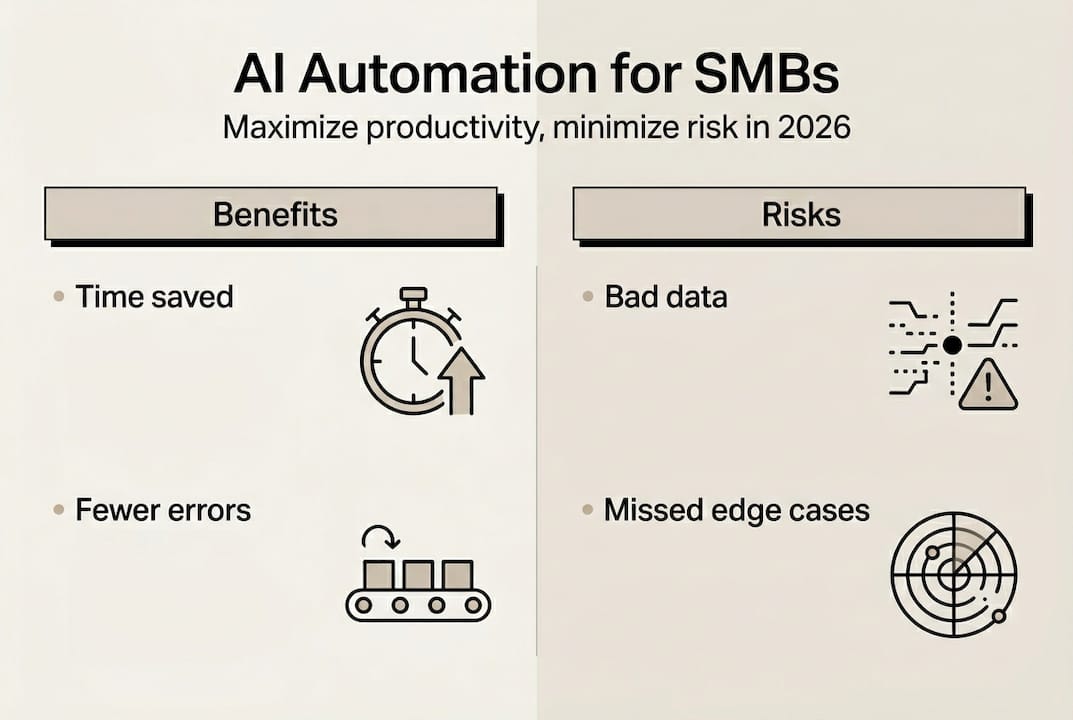
Finally, prepare your team psychologically. Frame AI as a productivity multiplier, not a job threat. Share examples of how automation frees staff for higher-value work: strategic planning, relationship building, creative problem solving. Transparency reduces resistance and builds buy-in.
| Preparation step | Time investment | Expected outcome |
|---|---|---|
| Process mapping | 2-3 days | Clear workflow documentation |
| Goal setting | 1 day | Measurable ROI targets |
| Tool evaluation | 3-5 days | Shortlist of 2-3 platforms |
| Baseline audit | 1 week | Quantified current performance |
| Team alignment | 2-3 meetings | Staff buy-in and oversight roles |
For deeper insights on automating operations effectively, explore our business operations automation guide for SMBs and business process automation guide.
Step-by-step guide to implementing AI-driven productivity tools
With preparation complete, it's time to execute. Follow this six-step process to deploy AI automation smoothly and maximise productivity gains.
-
Select your first automation target. Start small. Choose one high-impact, repetitive workflow: customer support ticket triage, meeting scheduling, or sales follow-up emails. AI significantly boosts productivity for text-heavy tasks like sales pitches and customer support, with faster task completion especially for less experienced workers. Prioritise quick wins that demonstrate value within weeks, not months.
-
Choose the right AI tool. Match the tool to your workflow. For scheduling, look at AI assistants that integrate with your calendar and email. For customer support, consider chatbot platforms with natural language processing. For sales, explore AI email generators that personalise outreach at scale. Test free trials before committing. Verify the platform supports your existing tech stack without requiring custom development.
-
Configure and train the AI. Feed your AI tool with context: past emails, common customer questions, typical scheduling scenarios. Most modern platforms learn from examples rather than requiring complex programming. Set clear boundaries: define what the AI can handle autonomously versus when it must escalate to a human. Configure approval workflows for high-stakes decisions like contract negotiations or refund requests.
-
Integrate with existing systems. Connect your AI tool to your CRM, email platform, project management software, and calendar. Seamless integration eliminates manual data entry and ensures information flows automatically. For instance, when an AI agent books a meeting, it should update your CRM contact record, send calendar invites, and log the interaction without human intervention.
-
Train your team. Walk staff through the new workflow. Show them how to review AI outputs, correct errors, and escalate exceptions. Emphasise their role as supervisors, not replacements. Provide clear escalation protocols: what types of issues require human judgement, who handles them, and how quickly. Schedule weekly check-ins during the first month to address questions and refine processes.
-
Monitor, measure, and iterate. Track the same metrics you established during preparation: time saved, task volume handled, error rates, revenue impact. Compare against your baseline audit. If results fall short, investigate: Is the AI lacking sufficient training data? Are workflows still too chaotic? Is the team bypassing the system? Adjust configurations, add examples, and refine rules iteratively.
Pro Tip: Implement AI in one department first, prove ROI, then expand. Success stories from early adopters build momentum and reduce resistance across the organisation.

| Implementation phase | Duration | Key success factor |
|---|---|---|
| Tool selection | 1 week | Clear workflow prioritisation |
| Configuration | 1-2 weeks | Quality training data |
| Integration | 1-2 weeks | API compatibility |
| Team training | 1 week | Clear escalation protocols |
| Monitoring | Ongoing | Regular metric reviews |
For practical applications, see how AI transforms scheduling and improves team productivity through automation.
Avoiding common pitfalls and verifying productivity gains
Even well-planned AI implementations hit snags. Anticipate challenges, mitigate risks, and verify real business impact to sustain long-term success.
Establish governance frameworks immediately. Edge cases like hallucinations and escalation failures pose risks especially in SMBs lacking governance. Boundaries and audits are essential. Create a simple governance checklist: Who reviews AI outputs daily? What triggers an immediate human review? How often do you audit AI decisions for accuracy? Schedule monthly governance reviews to assess performance, identify patterns in errors, and update automation rules.
Conduct regular audits. Don't assume your AI is performing correctly just because it's running. Sample outputs weekly: review 10-20 AI-generated emails, support responses, or scheduled meetings. Check for factual errors, tone issues, or inappropriate recommendations. Log findings and feed corrections back into the system. Over time, these refinements dramatically improve accuracy.
Train staff on effective escalation. AI handles routine cases brilliantly but fails spectacularly on edge cases. Your team must recognise when to escalate: unusual customer requests, complex negotiations, sensitive complaints, technical troubleshooting beyond the AI's training. Create a simple escalation matrix: green for AI autonomous, yellow for AI with human review, red for human-only. Make it visual and accessible.
Verify productivity gains rigorously. Compare your post-AI metrics against the baseline audit you conducted during preparation. Calculate time saved per week, revenue increase per quarter, and cost reduction per task. For example, if your team previously spent 15 hours weekly on email triage and now spends 4 hours supervising AI, that's 11 hours saved. Multiply by hourly cost to quantify financial impact. AI adoption increases labour productivity by 4% in European firms without short-term job losses, highlighting sustainable growth potential.
Balance automation with human judgement. AI optimises routine workflows but can't replace strategic thinking, relationship building, or creative problem solving. Use the time saved to focus on high-value activities: closing deals, developing partnerships, innovating products. Frame AI as a productivity multiplier that elevates your team's capabilities rather than replacing them.
"AI isn't about replacing people. It's about freeing them to do work that actually matters: building relationships, solving complex problems, and driving strategic growth."
Iterate continuously. AI performance improves with feedback. Schedule quarterly reviews to assess what's working, what's not, and where to expand automation next. As your team grows comfortable with initial implementations, layer in additional workflows: document processing, data analysis, content creation. Each successful deployment builds confidence and compounds productivity gains.
- Monitor outputs daily during the first month, then weekly once stable
- Create a feedback loop where staff report AI errors or edge cases immediately
- Update training data and rules monthly based on real-world performance
- Celebrate wins publicly to maintain momentum and encourage adoption
- Document lessons learnt to streamline future automation projects
For broader operational efficiency strategies, explore how AI boosts SMB operational efficiency and enhances customer support.
Discover HumanOS: your AI operating system for smarter automation
Ready to transform your SMB operations without the complexity? HumanOS offers an AI operating system designed specifically for small and mid-sized businesses. Our platform automates email management, scheduling, document processing, customer support, and more, all with human-in-the-loop control built in from day one.

Unlike enterprise solutions requiring months of setup, HumanOS deploys in days with no coding required. Plans start at just £20 per month, delivering measurable ROI through time savings and revenue lift. Our proprietary MCP-powered agent architecture keeps AI explainable, governed, and embedded inside your existing workflows, not bolted on as another forgotten tab. Plus, our managed web services eliminate the £5K–£15K agency markup while continuously optimising your digital presence. Start your free trial today and experience the 30% productivity boost our clients achieve on average.
What is the best way to start using AI for productivity in my SMB?
Begin with process mapping to identify repetitive, high-volume workflows like email triage, scheduling, or customer support. Document these processes clearly before deploying any AI tool. Select one workflow as your initial automation target, choose an affordable AI platform designed for SMBs, and configure it with real examples from your operations. Train your team on how to supervise AI outputs and escalate exceptions. Start small, prove ROI within weeks, then expand to additional workflows. For detailed guidance, see our business process automation guide for SMBs.
How do I measure the return on investment from AI automation?
Track time saved on key tasks and increases in sales or revenue directly linked to automation. Conduct a baseline audit before implementing AI to capture current performance: hours spent per task, error rates, task volume. After deployment, measure the same metrics and compare. Calculate financial impact by multiplying time saved by hourly labour cost. SMBs should measure ROI via time saved and revenue lift rather than just adoption rates. Review metrics monthly and adjust automation rules to maximise gains.
What risks should SMB owners watch for when using AI automation?
Monitor outputs closely for factual errors, inappropriate tone, and unintended behaviour. Risks like hallucinations and escalation failures increase without strong governance, especially in SMBs. Implement audit processes where staff review AI outputs daily during initial deployment, then weekly once stable. Maintain human-in-the-loop oversight for high-stakes decisions like contract negotiations or sensitive customer complaints. Create clear escalation protocols so your team knows when to override AI recommendations.
Can AI automation replace my staff or reduce jobs in my SMB?
AI augments staff capabilities, speeding work rather than replacing roles immediately. AI adoption boosts labour productivity with no short-term job losses in European firms. Focus remains on leveraging AI to support and enhance human labour, not eliminate it. The time saved through automation allows your team to focus on higher-value activities: strategic planning, relationship building, creative problem solving. Frame AI as a productivity multiplier that elevates your team's impact rather than replacing them.