

Over half of SMB leaders underestimate how much time their teams lose to email overload every single week. That is not a minor inefficiency you can ignore. It is a slow drain on productivity, client relationships, and profitability. Most business owners treat email as a background task, something that just happens. But unmanaged email is one of the most consistent bottlenecks we see across small and mid-sized businesses. This guide walks you through why email management matters, how AI transforms it, and what practical steps you can take right now to turn your inbox from a source of chaos into a genuine operational asset.
Table of Contents
- Why email management matters for SMB operations
- How AI-driven email management transforms workflows
- Best practices: Optimising email for maximum operational impact
- Measuring and maintaining email efficiency gains
- Why most businesses undervalue email management — and how to change that
- Elevate your operations with seamless AI email management
- Frequently asked questions
Key Takeaways
| Point | Details |
|---|---|
| Email impacts efficiency | Effective email management is essential for saving time and preventing costly communication bottlenecks. |
| AI transforms workflows | AI-driven tools automate sorting, triaging, and responding to emails for streamlined SMB operations. |
| Measure to improve | Tracking the right email metrics ensures long-term gains and continued workflow optimisation. |
| Mindset matters | Viewing email as a critical business process helps unlock more advanced automation benefits. |
Why email management matters for SMB operations
Email is still the backbone of most business communications. Client updates, task assignments, supplier negotiations, internal approvals — they all flow through the inbox. Yet many SMB operators treat it as a passive channel rather than an active operational lever. That mindset is costly.
Unmanaged inboxes create real, measurable damage. When emails pile up without a system, important messages get buried. Deadlines slip. Clients feel ignored. Team members duplicate effort because no one is sure who handled what. These are not hypothetical risks. They are daily realities for businesses without a structured approach to email.

Consider the time cost alone. Unmanaged inboxes drain more than five hours per week per employee. Across a team of ten, that is fifty hours every week spent sorting, searching, and responding to email without a system. That is more than a full-time employee's work week, gone.
Here is what poor email management typically disrupts:
- Client communication: Delayed responses erode trust and signal disorganisation
- Task delegation: Assignments buried in threads lead to missed handoffs
- Project timelines: Approvals and updates stuck in inboxes slow delivery
- Team morale: Constant inbox overwhelm creates stress and cognitive fatigue
Reviewing the automation guide for SMBs makes it clear: email is not just a communication tool. It is an operational system. Treat it like one.
Building operational efficiency with AI starts with understanding where your current workflows break down, and for most SMBs, the inbox is ground zero.
Pro Tip: Set a clear standard for inbox zero at least once per day. Categorise incoming emails by operational priority: urgent client requests, internal tasks, informational updates, and items to delegate. This simple structure reduces decision fatigue and keeps your team aligned.
How AI-driven email management transforms workflows
Once you understand the cost of an unmanaged inbox, the solution becomes obvious: stop managing email manually. AI-driven tools can handle the sorting, routing, and responding that currently eats your team's time.
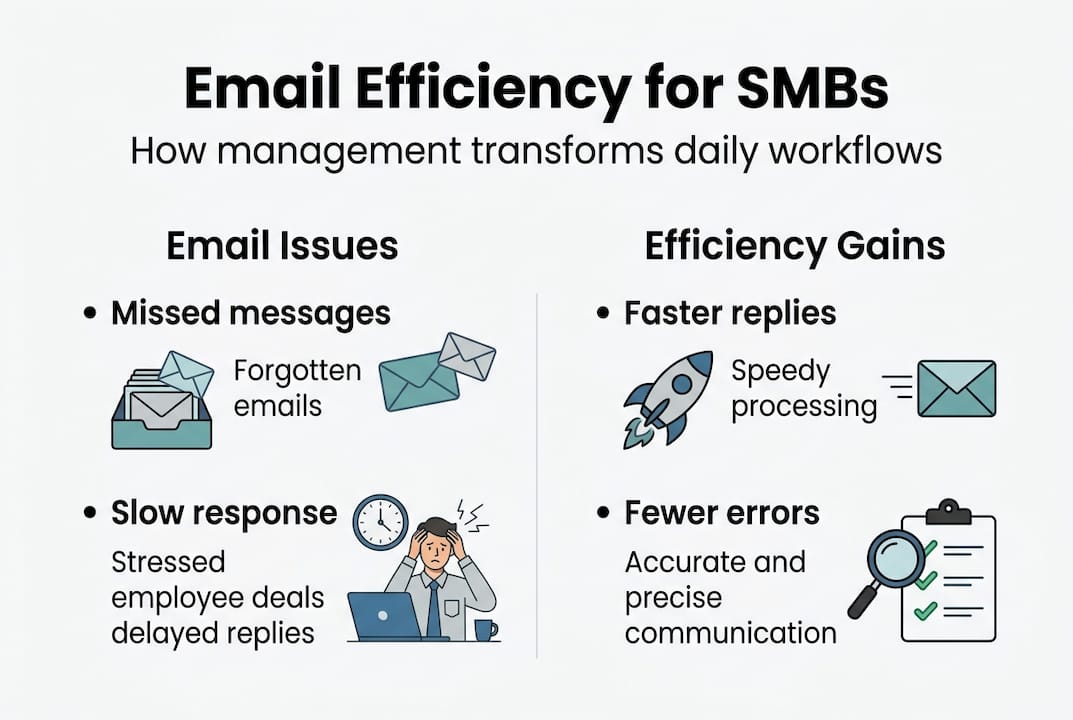
AI can handle routine queries and auto-route tasks, reducing manual intervention dramatically. Order status updates, meeting requests, appointment confirmations, and FAQ responses can all be handled automatically. Your team only sees the emails that genuinely need human judgement.
Here is how manual and AI-driven email management compare:
| Process | Manual management | AI-driven management |
|---|---|---|
| Sorting incoming emails | 30 to 60 minutes daily | Under 2 minutes |
| Routing tasks to team members | Manual, error-prone | Automated, rule-based |
| Responding to routine queries | Human time required | Instant auto-response |
| Accuracy rate | Variable, fatigue-dependent | Consistently high |
| Escalation of urgent items | Often delayed | Immediate flagging |
The workflow improvements follow a clear sequence when AI is deployed:
- Triage: AI scans and categorises every incoming email by type, urgency, and sender
- Routing: Messages are directed to the right team member or queue automatically
- Delegation: Tasks embedded in emails are extracted and assigned without manual reading
- Scheduling: Meeting requests and follow-ups are handled through automated scheduling integrations
The downstream effect on client satisfaction is significant. Faster response times signal professionalism. Fewer errors build trust. Clients notice when a business is responsive and organised, and they reward it with loyalty. Exploring AI automation for workflows shows just how quickly these gains compound once the right systems are in place.
Best practices: Optimising email for maximum operational impact
Knowing AI can help is one thing. Deploying it effectively is another. The businesses that see the biggest gains from AI-driven email management are the ones that approach implementation strategically, not impulsively.
Start with a workflow audit. Before selecting any tool, map your current email routines. Which types of emails arrive most frequently? Which ones take the most time to handle? A step-by-step analysis can identify bottlenecks and quick-win integrations you may not have noticed. This groundwork prevents you from automating a broken process and calling it progress.
Next, choose tools that integrate cleanly with your existing stack. Your email management solution should connect to your CRM, scheduling platform, and project management tools. Siloed tools create new inefficiencies. Integration is what turns individual features into a coherent operational system.
Here are the top best practices for optimising email operations:
- Centralise communications: Use a shared inbox or ticketing system for client-facing email so nothing falls through the cracks
- Set autoresponders: Acknowledge every inbound email immediately with a clear, informative auto-reply
- Use templates: Build a library of approved response templates for common queries to speed up replies and maintain consistency
- Educate your team: New workflows only stick when your team understands why the change matters and how to use the tools correctly
- Integrate with your improve team productivity stack: Connect email automation to task management and reporting tools for full visibility
Reviewing the operational efficiency checklist is a smart move before finalising your tool selection. It surfaces gaps you might otherwise miss.
Pro Tip: Schedule a quarterly email workflow review. Block one hour every three months to assess response times, identify new bottlenecks, and check whether your team needs refresher training on the tools. Small, consistent improvements compound into significant gains over a year.
Measuring and maintaining email efficiency gains
Implementing AI-driven email management is not a one-time fix. It is an ongoing system that needs monitoring to stay effective. The businesses that sustain their gains are the ones that measure consistently and adjust when the data signals a problem.
Four key metrics tell you whether your email operations are actually improving:
- Average response time: How quickly are client emails being answered?
- Ticket resolution rate: What percentage of email-based requests are resolved on first contact?
- Internal task recovery: How often do tasks assigned via email get completed on time?
- Customer satisfaction score: Are clients rating their communication experience positively?
Here is what realistic pre- and post-implementation results look like for a typical SMB:
| Metric | Before AI implementation | After AI implementation |
|---|---|---|
| Average email response time | 6 to 12 hours | Under 1 hour |
| Routine query resolution | 40% first-contact | 85% first-contact |
| Missed task assignments | 20% per week | Under 3% per week |
| Customer satisfaction (email) | 3.2 out of 5 | 4.6 out of 5 |
Ongoing monitoring and analytics ensure long-term gains, not just one-time improvements. Without a feedback loop, even well-designed systems drift.
"The businesses that win with AI are not the ones that deploy it once and walk away. They are the ones that treat it as a living system, reviewing results, closing gaps, and raising the bar every quarter."
Set a monthly or quarterly cadence for team feedback sessions. Ask your team what is working, what is creating friction, and what new patterns they are noticing in the inbox. This qualitative input complements your operational efficiency data and keeps your system sharp. Exploring AIOps for efficiency reveals how data-driven operations management can extend these gains well beyond email alone.
Why most businesses undervalue email management — and how to change that
Here is something we see consistently: business owners invest in CRM platforms, project management tools, and marketing automation, but treat email as an afterthought. The logic seems reasonable. Email is old technology. Surely the real gains are elsewhere.
That assumption is wrong. Email is not just admin. It is the connective tissue between every other system in your business. When it breaks down, everything downstream breaks with it.
The real opportunity is not just fixing your inbox. It is recognising that email management, when tied to system-wide automation, creates compound returns. A faster response time improves client retention. Better task routing reduces rework. Fewer missed handoffs mean projects close on time. These gains stack.
We have seen businesses transform their operations simply by treating email as a strategic system rather than a necessary chore. The mindset shift is the hardest part. Once you see email as the heartbeat of responsive, scalable operations, the investment in boosting team productivity through AI becomes obvious, not optional.
Elevate your operations with seamless AI email management
You now have a clear picture of what unmanaged email costs and what AI-driven solutions can deliver. The next step is putting that knowledge to work.

HumanOS gives SMBs access to purpose-built AI agents for workflow automation that handle email management, scheduling, task routing, and more, all without requiring a single line of code. Our platform is designed for operators who want measurable results, not more complexity. With an average 80% boost in productivity and a guaranteed 30% improvement in profitability, HumanOS AI solutions are built to deliver. Start your 3-day free trial today. No credit card required.
Frequently asked questions
What is the most common problem caused by poor email management?
Missed deadlines and lost information are the most frequent problems when emails go unmanaged, often because critical messages are buried under low-priority correspondence.
How quickly can AI email management show tangible results?
AI-driven email solutions can deliver noticeable efficiency gains in as little as one week after deployment, particularly for businesses with high volumes of routine queries.
Which metrics should I track to measure email management success?
Monitor response time and satisfaction alongside task completion rates to get a full picture of whether your email operations are genuinely improving.
Are AI-powered email tools difficult to implement for small businesses?
Most AI-powered email tools offer quick setups and integrations with existing platforms, making them practical and accessible for SMBs without dedicated IT teams.