

TL;DR:
- Automating repetitive, high-volume tasks can increase SME productivity by 20 to 30%.
- No-code tools like Zapier and Power Automate enable quick, secure workflow automation without IT support.
- Ongoing monitoring, testing, and human oversight are essential for maximizing ROI and ensuring reliable automation.
Repetitive tasks are quietly draining your business. Scheduling, invoicing, data entry, lead follow-ups — these processes steal hours every week that you could spend on strategy, client relationships, and growth. SMBs save 10 to 26 hours per week per user and see productivity climb 20 to 30% by automating business workflows. The good news? You do not need a developer or an IT team to make it happen. This guide walks you through a practical, step-by-step approach to mapping, building, and scaling AI-powered workflows using no-code tools — so you can stop firefighting and start innovating.
Table of Contents
- Mapping and prioritising your workflows
- Choosing AI-powered no-code tools for automation
- Building and deploying your first automated workflow
- Monitoring, troubleshooting, and maximising ROI
- Why human-AI collaboration, not just automation, is the future of workflows
- Ready to transform your business workflows with AI?
- Frequently asked questions
Key Takeaways
| Point | Details |
|---|---|
| Map workflows first | Identifying your most repetitive, high-impact tasks is the cornerstone of effective automation. |
| Pick user-friendly AI tools | No-code platforms let you automate without coding, connecting thousands of apps for instant results. |
| Start small, scale fast | Pilot one workflow in 90 days, refine, and expand for compounding productivity and ROI. |
| Monitor and improve | Continually test and adjust automations to ensure error-free operation and long-term benefits. |
| Human oversight matters | Combining AI power with human judgement maximizes value and minimizes risks. |
Mapping and prioritising your workflows
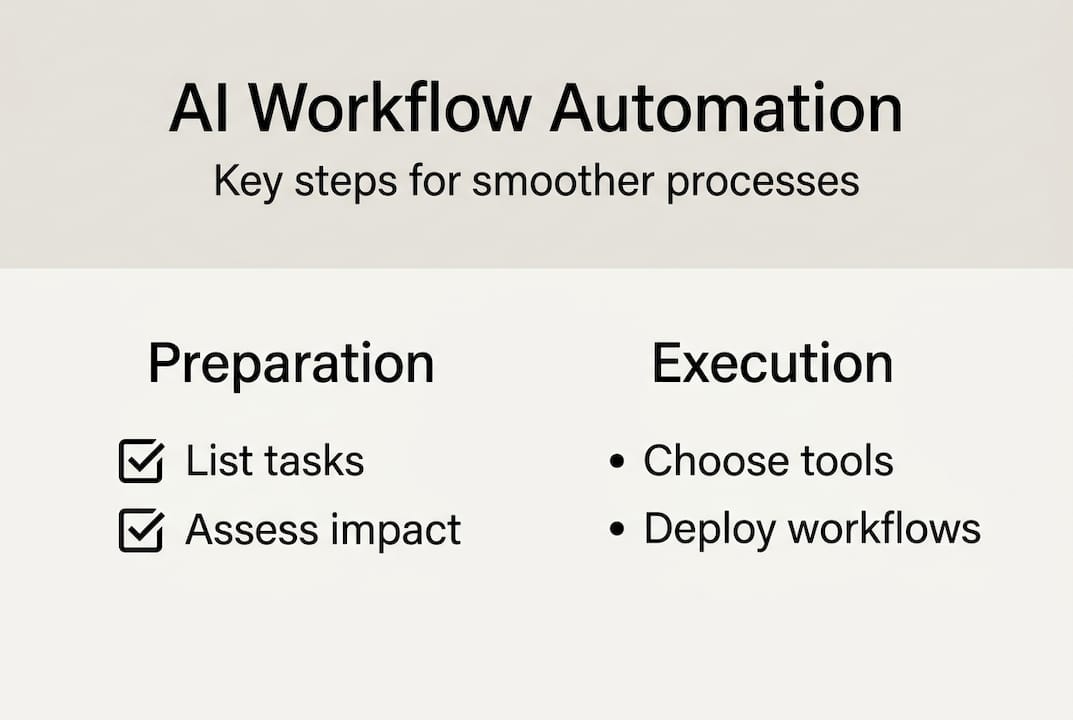
Now that you know what is possible with automation, the next step is identifying exactly where to start in your own business. Not every process is worth automating first. The key is to map workflows targeting repetitive, high-volume, low-complexity processes before scaling to more complex ones.
Start by listing every recurring task your team handles. Think about what happens daily, weekly, or monthly without much variation. Common candidates include:
- Invoice generation and payment reminders
- Lead capture and CRM data entry
- Customer support ticket routing
- Appointment scheduling and confirmations
- Inventory updates and order tracking
- Employee onboarding document processing
Once you have your list, evaluate each process using three criteria: volume (how often it occurs), impact (time or money saved), and complexity (how many exceptions or judgement calls it requires). High volume plus low complexity equals a strong automation candidate.
Here is a quick reference table to help you prioritise:
| Workflow | Volume | Complexity | Automation priority |
|---|---|---|---|
| Invoice generation | High | Low | High |
| Lead data entry | High | Low | High |
| Support ticket routing | High | Medium | Medium |
| Contract review | Low | High | Low |
| Payroll processing | Medium | High | Low |
| Appointment reminders | High | Low | High |
For automation tips for SMBs, the smartest move is to test your first automation with real data before rolling it out. Run it in parallel with your manual process for one week. Catch edge cases early — what happens when a field is blank, or a customer submits duplicate information?
Pro Tip: Use a 90-day playbook to stay on track. Spend weeks one and two auditing your processes, weeks three through eight piloting your first automation, and weeks nine through twelve scaling what works. This approach keeps risk low and momentum high.
For a deeper look at getting started, the AI productivity improvement guide walks through prioritisation frameworks in detail.
Choosing AI-powered no-code tools for automation
With your key processes mapped, the next step is choosing the right automation platform. The market has several strong contenders, and the best choice depends on your existing tech stack and how much flexibility you need.

No-code platforms like Zapier, Power Automate, and monday.com connect between 1,000 and 8,000 or more apps and can reduce workflow processing time by up to 70%. That is a significant gain for any business still relying on manual hand-offs.
Here is how the leading platforms compare:
| Platform | App integrations | Ease of use | AI features | Starting price |
|---|---|---|---|---|
| Zapier | 7,000+ | Very easy | AI steps, filters | Free tier available |
| Power Automate | 1,000+ | Moderate | Copilot AI built-in | Included with Microsoft 365 |
| Make (formerly Integromat) | 1,500+ | Moderate | Visual logic builder | Free tier available |
| monday.com | 200+ | Easy | AI automations | From $9/user/month |
For a detailed breakdown, the Zapier vs Power Automate comparison is a useful resource when deciding between the two most popular options.
Before committing to any platform, check these essentials:
- Security and compliance: Does it meet your industry's data requirements?
- Native integrations: Does it connect with your CRM, email, and accounting tools out of the box?
- Conditional logic: Can it handle if-then rules without custom code?
- Error notifications: Will it alert you when something breaks?
- Support quality: Is there live support or only documentation?
- Scalability: Can it grow with your task volume without a steep price jump?
For a broader look at what is available, the AI productivity tools overview covers the top tools saving SMBs 15 to 25 hours weekly. And if you want to understand the bigger picture, this piece on AI and business efficiency ties platform choices to measurable profitability outcomes.
Building and deploying your first automated workflow
Now, let us walk through building your first automation from scratch. The process is simpler than most business owners expect, especially with modern no-code tools.
Follow these steps to go from idea to live workflow:
- Sketch the workflow on paper. Write out each step from trigger to outcome. Identify every input, decision point, and output before touching any software.
- Select your trigger. A trigger is the event that starts the automation. Examples include a new form submission, an incoming email, or a new row added to a spreadsheet.
- Map your actions. Decide what happens after the trigger. Does a record get created in your CRM? Does a notification go out? Does a document get generated?
- Add AI steps where relevant. Use AI to classify incoming requests, extract data from documents, or draft personalised responses.
- Test with real data. Run the workflow using actual business scenarios, including edge cases like missing fields or unusual inputs.
- Build in human review. For high-stakes outputs like contracts or refund approvals, add a human-in-the-loop step before the final action executes.
- Launch and monitor. Go live with one process. Watch it closely for the first two weeks before expanding.
A 90-day playbook covering audit, pilot, and scale phases is the fastest, lowest-risk path to meaningful automation results. Real-world examples back this up. A local bakery automated its order confirmations and saved 14 hours per week. A roofing firm automated its lead follow-up and cut response time from 48 hours to under five minutes.
Pro Tip: Use browser-based tools whenever possible. They require no installation, no IT approvals, and no maintenance overhead. You can deploy AI without coding and have your first workflow live within a single afternoon.
For guidance on team-wide rollout, see our article on improving team productivity with AI, and for a broader strategy, explore our resource on boosting SMB productivity.
Monitoring, troubleshooting, and maximising ROI
Launching your first workflow is just the start. Now let us make sure you are set up for ongoing success. Even well-built automations break. Knowing what to watch for keeps small issues from becoming expensive problems.
The most common failure modes include:
- Unhandled edge cases: The automation encounters data it was not designed for and stalls or produces wrong outputs.
- API limit errors: Your platform hits its monthly call limit and stops processing mid-workflow.
- Broken triggers: An upstream tool changes its format or field names, causing the trigger to miss events.
- Data quality issues: Incomplete or inconsistent input data leads to incorrect outputs downstream.
- Silent failures: The workflow runs but produces no output, and no alert is sent.
For detailed troubleshooting workflow automation guidance, there are structured checklists that walk you through diagnosing each of these issues systematically.
73% of SMBs see ROI on workflow automation within the first 3 months, with productivity gains of 20 to 30% — but only when automations are actively monitored and iterated. (MultiplyRevenue)
To maximise your return, build a simple monitoring routine. Check your automation logs weekly. Track the volume of tasks processed, error rates, and time saved. Compare these numbers against your baseline from before automation. This is how you prove value and identify where to expand next.
Test at least three to five real-life scenarios before declaring any workflow production-ready. Include negative cases: what happens when a customer submits a blank form, or a payment fails? Automations that handle exceptions gracefully are the ones that stay reliable for months.
For ongoing strategy, our guide on operational efficiency with AI and our resource on AI productivity strategies for SMBs both offer frameworks for continuous improvement.
Why human-AI collaboration, not just automation, is the future of workflows
Most businesses chase full automation as the end goal. We think that is the wrong frame. The biggest gains come from knowing where AI should act and where a human should decide.
Prioritising human-AI collaboration over full automation yields the greatest benefit and ROI for SMBs. This is not a limitation. It is a competitive advantage. AI handles volume, speed, and consistency. Humans handle context, judgement, and relationship nuance. When you combine both deliberately, you get outcomes neither can produce alone.
Agentic workflows are the next frontier. These are AI systems that can plan, execute multi-step tasks, and escalate to humans when they hit a decision point they are not equipped to handle. For SMBs, this means your AI agents will soon do far more than trigger-action sequences. They will manage entire processes end to end, with human review built in at the right moments.
Our practical recommendation: track ROI at the task level every week, not just at the project level. When you see a workflow producing errors or requiring frequent human correction, that is a signal to redesign the handoff, not to add more automation. For more on getting that balance right, see our guide on balancing automation with human oversight.
Ready to transform your business workflows with AI?
If you are ready to put these strategies into action, here is how to get started. The concepts in this guide are not theoretical. They are live inside platforms built specifically for SMBs who want results without the coding overhead or the IT budget.

HumanOS gives you a full suite of AI automation for business — from email management and scheduling to document processing and customer support — all deployed through a self-guided onboarding system. No coding. No credit card required to start. The HumanOS automation platform is built on 10 or more years of systems architecture experience and backed by a BBB A-rating. Start your free trial today and see measurable productivity gains within your first 90 days.
Frequently asked questions
What's the quickest business process to automate for fast ROI?
Lead management and data-heavy routines are among the top AI automation use cases, with most businesses seeing ROI within weeks due to high volume and low complexity.
Do I need coding or IT staff to automate workflows with AI?
No. No-code AI workflow automation requires no coding or dedicated IT team, and most browser-based platforms let you build and launch your first workflow in a single afternoon.
How do I prevent errors or bad results from AI automation?
Always test three to five real scenarios before going live, build in human review for high-stakes outputs, and monitor your automation logs weekly for data or logic errors. Edge cases and frequent testing are crucial to avoiding automation failures.
How fast can I expect to see ROI after implementing AI automation?
73% of SMEs see ROI on workflow automation within the first three months, with productivity growing 20 to 30% when automations are actively monitored and refined.