

TL;DR:
- AI automates repetitive tasks, saving small businesses up to 450 hours weekly.
- Implementing AI with proper planning and governance ensures reliable, profitable results.
- Affordable, no-code tools like ChatGPT and Zapier enable SMBs to optimize operations quickly.
Most business owners assume AI is something they'll get to eventually, once they have more time, more budget, or a dedicated tech team. That assumption is costing them. AI automates repetitive tasks in areas like customer service, inventory, and marketing, saving SMBs anywhere from 10 to 450 hours weekly. That's not a rounding error. That's entire weeks of labour recovered every month. This guide breaks down exactly what AI does in a business context, where the real efficiency gains come from, which tools deliver fast results without a massive budget, and how to implement automation in a way that actually sticks.
Table of Contents
- What does AI do in business? The fundamentals explained
- How AI automation boosts efficiency and profitability
- Affordable AI tools and quick-win automation for SMBs
- A practical framework for implementing AI in your business
- The real reason most businesses stall with AI—and how to get it right
- Next steps: make AI work for your business with the right partner
- Frequently asked questions
Key Takeaways
| Point | Details |
|---|---|
| Real time savings | AI cuts 10–450 hours of labour weekly for SMBs by automating routine tasks. |
| Fast ROI possible | Most small businesses see a return on investment from AI automation in one to three months. |
| Affordable tools exist | Solutions like ChatGPT and Zapier combine low cost with big automation power for business owners. |
| Start with process mapping | Mapping your workflows first lets you target the highest ROI automations. |
| Avoid cultural pitfalls | Successful AI adoption depends as much on your team and process as on the technology chosen. |
What does AI do in business? The fundamentals explained
AI, or artificial intelligence, is software that can observe patterns, make decisions, and take actions based on rules and data. For business owners, the practical definition is simpler: it's technology that handles repetitive, rule-based work so your team doesn't have to.
The most common applications for small to mid-sized businesses include automating customer support through chatbots and email responders, managing inventory by predicting stock levels and flagging reorder points, running marketing campaigns through personalised messaging and scheduling, and speeding up internal scheduling and document processing. These aren't futuristic concepts. They're running inside businesses right now.
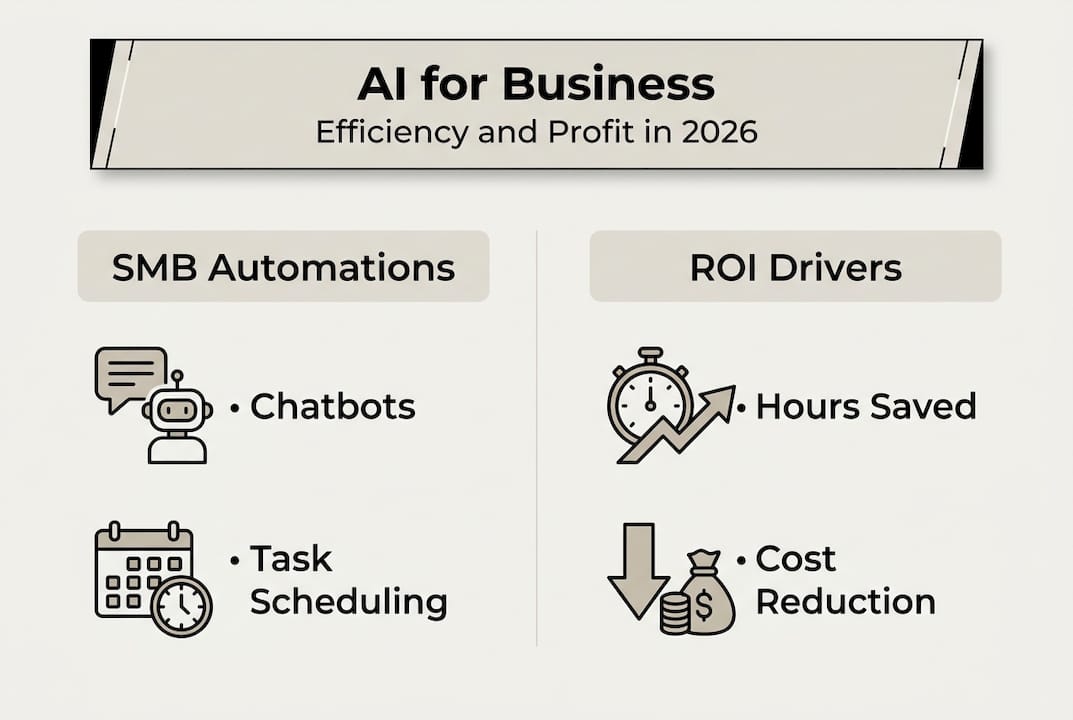
Improving operational efficiency with AI doesn't require a developer on staff or a six-figure software budget. Many tools are low-code or no-code, meaning you configure them through simple interfaces rather than writing a single line of code.
The time savings are real and measurable. A small bakery deploying AI for order management and customer follow-ups recovered 10 hours per week. An e-commerce operator using AI for inventory and support handled 450 hours of monthly tasks automatically. The average across SMBs lands between 20 and 22 hours saved per week.
"SMBs deploying AI for routine tasks save 10 to 450 hours weekly, depending on the scope of automation."
Here are the tasks most suited to AI automation right now:
- Customer support: Answering FAQs, routing tickets, sending follow-up emails
- Scheduling: Booking appointments, sending reminders, managing calendar conflicts
- Inventory management: Tracking stock, predicting demand, triggering reorders
- Marketing: Segmenting audiences, scheduling posts, personalising campaigns
- Document processing: Extracting data from invoices, contracts, and forms
- Data reporting: Generating weekly summaries, flagging anomalies, tracking KPIs
Understanding AI in customer support alone reveals how much time leaks from a typical business each week. Once you see it, you can't unsee it.
How AI automation boosts efficiency and profitability
Now that you know what AI can do, let's dig into the hard numbers and where those savings come from.
AI solutions result in a 73% reduction in repetitive task hours for SMBs, with an average of 20 to 22 hours saved per week. That's not just productivity. That's payroll you're no longer spending on low-value work.
| Business function | Hours spent weekly (pre-AI) | Hours spent weekly (post-AI) | Typical ROI timeline |
|---|---|---|---|
| Customer support | 18 hrs | 4 hrs | 4 to 6 weeks |
| Inventory management | 12 hrs | 3 hrs | 6 to 8 weeks |
| Marketing and scheduling | 10 hrs | 2 hrs | 3 to 5 weeks |
| Document processing | 8 hrs | 1.5 hrs | 4 to 6 weeks |
| Reporting and analytics | 6 hrs | 1 hr | 2 to 4 weeks |
The table above reflects real patterns seen across SMB deployments. The reductions aren't theoretical. They come from replacing manual, repetitive effort with automated workflows that run without supervision.
When you boost efficiency with AI automation, the profit impact shows up in several concrete ways:
- Reduced overtime costs: Fewer hours spent on admin means less after-hours labour
- Fewer errors: Automated processes don't mistype an invoice or forget to follow up
- Faster response times: Customers get answers in seconds, not hours
- Higher satisfaction rates: Consistent, timely service builds loyalty and repeat revenue
- Freed-up capacity: Your team focuses on work that actually grows the business
The connection between efficiency and profitability with AI strategies is direct. Every hour recovered is an hour that can be redirected toward revenue-generating activity or simply not spent at all.

Pro Tip: Track cost and time savings, not just productivity, to identify hidden opportunities for AI. A task that takes 30 minutes daily might not feel significant until you calculate it as 130 hours per year.
Affordable AI tools and quick-win automation for SMBs
Seeing the potential for profit and efficiency, you'll want to choose tools that bring fast wins without high upfront investment.
Three tools consistently deliver strong results for SMBs at accessible price points:
| Tool | Monthly cost | Ease of use | Setup time | Best for | ROI speed |
|---|---|---|---|---|---|
| ChatGPT | Free to $20 | Very easy | Under 1 hour | Content, support, drafting | 1 to 2 weeks |
| Zapier | $20 to $69 | Easy | 1 to 3 hours | Workflow automation, app connections | 2 to 4 weeks |
| Make.com | $9 to $29 | Moderate | 2 to 5 hours | Complex multi-step automations | 3 to 6 weeks |
All three are affordable tools under $100 per month and require no coding knowledge to get started. They connect to the apps you already use, like Gmail, Shopify, Calendly, and Slack.
To find your quick wins, follow these steps:
- Observe your week: Write down every task you or your team repeats more than three times per week
- Flag rule-based tasks: Anything with a clear "if this, then that" logic is a strong automation candidate
- Match to a tool: Use Zapier or Make.com for workflow connections, ChatGPT for content and communication
- Pilot for two weeks: Run the automation alongside your current process to validate accuracy
- Measure the savings: Track time and cost before and after to confirm the ROI
- Scale what works: Once validated, expand the automation to similar tasks across the business
Exploring top AI productivity tools helps you see which combinations deliver the fastest results for your specific industry. And reviewing AI productivity tips before you start prevents the most common setup mistakes.
Pro Tip: Pilot small, rule-based tasks first to demonstrate quick value and build internal support for AI. One visible win converts sceptics faster than any presentation.
Building governance early, meaning clear rules about what AI can and cannot do autonomously, prevents deployment stalls and protects your business from costly errors as you scale AI automation for SMB productivity.
A practical framework for implementing AI in your business
Once you've chosen the right tools, implementation is where results and pitfalls are decided.
Following a structured approach reduces risk and accelerates time to value. Here's the framework we recommend:
- Map your processes: Document every major workflow in your business, even informally
- Identify repetitive tasks: Flag anything rule-based, time-consuming, and low in creative demand
- Select your tools: Match each task to the most appropriate low-code solution
- Pilot with one workflow: Start with a single, contained process to validate performance
- Monitor and measure: Track accuracy, time saved, and any errors for at least two weeks
- Scale gradually: Add automation to adjacent workflows once the pilot is stable
- Improve your data: As you scale, invest in cleaner inputs for better AI outputs
This process mapping approach is the foundation of every successful SMB deployment. Skipping it is the single most common reason AI projects underdeliver.
Avoid these pitfalls:
- Poor data quality: AI is only as good as the information it processes
- Vague goals: "Use more AI" is not a strategy. Define what success looks like in hours or dollars
- Overcomplicating early: Start simple. Complexity comes after confidence
- No measurement: Without tracking, you can't prove value or justify scaling
"SMBs see ROI from AI in as little as 1.5 to 3 months if they start small and iterate consistently."
Maintaining a feedback loop is critical. Review your automations monthly and adjust based on what the data tells you. Strong AI productivity strategies always include a review cycle, not just a launch plan. Understanding AI operations for profit means treating automation as a living system, not a one-time setup. And if scheduling is your biggest drain, automated scheduling alone can recover several hours per week with minimal configuration.
The real reason most businesses stall with AI—and how to get it right
Here's what most guides won't tell you: the majority of AI projects that fail don't fail because of the technology. They fail because the business wasn't ready for it.
Teams resist new tools when they don't understand why the change is happening. Processes break down when automation is layered on top of already-broken workflows. Goals stay fuzzy because no one defined what "working" actually looks like.
The myth that AI is plug-and-play is genuinely harmful. It sets up business owners for frustration and wasted spend. The truth is that AI amplifies what's already there. If your process is clean, AI makes it faster. If your process is messy, AI makes the mess bigger.
Building governance early isn't a bureaucratic exercise. It's the difference between an automation that runs reliably for years and one that causes a customer service disaster in week three.
Start small. Validate value with one workflow. Show your team a real win before asking them to trust a larger rollout. Buy-in isn't optional. It's the engine that makes everything else run.
Next steps: make AI work for your business with the right partner
You now have the frameworks, the tools, and the pitfalls mapped out. The next move is execution, and that's where having the right partner changes everything.

At HumanOS, we've built an AI-driven platform specifically for small and mid-sized businesses that need real results without the enterprise price tag. Our AI automation solutions cover everything from email and scheduling to document processing and customer support, with no coding required and no credit card needed to start. If you also need a professional web presence that converts, our managed AI services handle that too, with continuous optimisation built in from day one. Stop firefighting and start innovating.
Frequently asked questions
How quickly can a small business see ROI from AI automation?
Most SMBs see a return in 1.5 to 3 months when they start with quick-win, repetitive tasks rather than complex workflows.
Which AI tools are most affordable for small businesses?
ChatGPT and Zapier both cost less than $100 per month and offer straightforward automation for the most common business tasks.
What's the first step to implement AI in my business?
Map your current processes first, then identify the repetitive, rule-based tasks that follow a clear logical pattern and require minimal human judgement.
Can AI automation really save hours every week?
Yes. SMBs consistently report saving 10 to 450 hours weekly depending on how many functions they automate and the volume of transactions involved.