

TL;DR:
- Manual scheduling causes time loss, errors, and operational inefficiencies for small businesses.
- Successful automation requires proper preparation, team involvement, and choosing the right AI tools.
- Implementing AI scheduling can significantly reduce time spent, errors, and improve overall workflow efficiency.
Running a small or mid-sized business means your calendar is rarely your friend. Between staff availability, client bookings, and last-minute changes, manual scheduling quietly drains hours you cannot afford to lose. Businesses are discovering that AI-driven scheduling automation is not just a nice-to-have; it is a genuine operational advantage. This guide walks you through understanding the real cost of traditional scheduling, preparing your team for automation, deploying your first AI scheduling system, and measuring results you can actually report on. If you are tired of double-bookings and back-and-forth emails eating your week, this is for you.
Table of Contents
- Understanding the challenges in traditional scheduling
- Preparing to automate: What you need before streamlining scheduling
- Step-by-step: How to streamline scheduling with AI automation
- Avoiding pitfalls and measuring success
- A new mindset: Why AI automation is not just a tool, it is a culture shift
- Take the next step: Streamline your scheduling with AI
- Frequently asked questions
Key Takeaways
| Point | Details |
|---|---|
| Manual scheduling drains resources | Switching to AI automation can recover hours each week and prevent costly errors. |
| Preparation leads to success | Assessing your needs and choosing the right tools sets the stage for a seamless transition to automated scheduling. |
| Step-by-step implementation | Launching with a pilot group and integrating feedback ensures the change sticks and provides real results. |
| ROI is easy to track | Measuring time saved, fewer errors, and team satisfaction lets you see the impact quickly. |
| Culture change matters | Building an open mindset around automation lets your business get the full benefit of new technology. |
Understanding the challenges in traditional scheduling
Manual scheduling sounds manageable until it is not. For most small business owners, it starts with a spreadsheet or a shared calendar. Then someone double-books a client meeting. Then a staff member calls in sick and the whole week unravels. The operational cost is real, and it compounds.
Small businesses lose hours weekly on manual scheduling tasks alone. That time includes coordinating availability, sending confirmation emails, chasing rescheduled appointments, and patching conflicts after the fact. For a business with five to twenty employees, those hours add up to thousands of dollars annually in lost productive capacity.
The most common problems with traditional scheduling include:
- Double-bookings caused by multiple people editing the same calendar without real-time sync
- Human error in data entry, time zones, or availability windows
- No-shows when reminders are sent manually or forgotten entirely
- Bottlenecks where one person controls all scheduling and becomes a single point of failure
- Reactive adjustments that pull managers away from higher-value work
The frustration is not just logistical. Team morale suffers when scheduling feels chaotic. Clients notice when communication is slow or appointments get mixed up. Both signal operational immaturity, which erodes trust.
Here is a direct comparison of where time and errors accumulate:
| Factor | Manual scheduling | Automated scheduling |
|---|---|---|
| Time spent weekly | 5 to 10 hours | 1 to 2 hours |
| Booking errors per month | 4 to 8 | 0 to 1 |
| Reminder delivery | Inconsistent | Automatic and timely |
| Rescheduling flexibility | Slow, manual | Instant, self-serve |
| Scalability | Limited | Grows with the business |
The data makes the case plainly. Manual systems are not just inconvenient; they are a structural drag on your business. The question is not whether to automate, but how to do it without disrupting what already works.
Preparing to automate: What you need before streamlining scheduling
Successful automation does not start with a software purchase. It starts with an honest look at your current processes, your team's readiness, and the specific outcomes you want. Skipping this step is the number one reason automation projects stall.
Choosing the right digital tools is foundational for successful automation. Before you evaluate any platform, work through this checklist:
- Current calendar audit: Document where scheduling currently lives (email, spreadsheets, legacy software) and who controls it
- Integration requirements: List every tool your scheduling must connect with, such as your CRM, video conferencing platform, and payment system
- Volume baseline: Measure how many bookings, meetings, or shifts you manage weekly
- Team roles: Identify who manages scheduling today and who will manage it after the transition
- Compliance needs: Note any privacy or data handling requirements relevant to your industry
When comparing basic versus advanced top AI scheduling tools, the gap is significant:
| Feature | Basic tools | Advanced AI tools |
|---|---|---|
| Calendar integration | Single calendar | Multi-calendar, multi-user |
| Conflict detection | Manual | Real-time, automatic |
| Customisation | Limited templates | Custom rules and logic |
| Reminders | Basic email | Multi-channel, adaptive |
| Reporting | None | KPI dashboards |
| Cost range | Free to $30/month | $50 to $200/month |
Key questions to ask any vendor before committing: Does this tool integrate with what we already use? How long does onboarding typically take? Is there live support, or are we on our own? What does the data migration process look like?
Pro Tip: Team buy-in determines whether automation succeeds or quietly gets abandoned. Involve at least one person from each affected team in the tool evaluation. Let them test it, flag concerns, and shape the rollout. Adoption is exponentially higher when the people using the system had a voice in selecting it. Pair this with AI productivity tips to get your team oriented before launch day.
Step-by-step: How to streamline scheduling with AI automation
With your prerequisites sorted, the actual deployment is more straightforward than most business owners expect. Move through these steps in order, and resist the urge to skip ahead.
-
Select and configure your AI scheduling tool. Based on your checklist, choose the platform that covers your must-have integrations. Set up your account, define your business hours, and import existing contacts or bookings.
-
Connect your calendars. Sync all relevant calendars, both personal and team-wide. Most modern tools support Google Calendar, Microsoft Outlook, and Apple Calendar simultaneously. Confirm that real-time sync is active before moving forward.
-
Set your custom scheduling rules. Define buffer times between appointments, maximum daily bookings, blackout dates, and any role-specific availability. This is where AI logic begins to replace manual judgment calls.
-
Configure automated reminders and confirmations. Set up multi-channel reminders at 24 hours and 1 hour before appointments. Include rescheduling links so clients can self-serve without contacting staff.
-
Run a pilot with a small group. Launch the system with one team or one service type first. This limits risk and surfaces unexpected issues before a full rollout.
-
Train your team and communicate the change. A short walkthrough session is usually enough. Focus on what changes for them and what stays the same. Highlight time savings to build enthusiasm.
-
Go live and monitor closely for the first two weeks. Watch for missed reminders, sync errors, or user complaints. Treat this period as active learning, not passive observation.
AI can reduce scheduling time by up to 50%, which compounds quickly across a growing team. Early adopters consistently report that the first measurable gains appear within the first month.

Pro Tip: Start your pilot with your highest-volume scheduling scenario. This gives you the most data fastest and makes the efficiency gains visible to sceptics early. Need more direction on improving team productivity during a system change? A structured change management approach makes the difference.
Avoiding pitfalls and measuring success
Deployment is only the beginning. Most automation projects that fail do not fail at setup. They fail in the weeks after, when no one is watching the numbers and the old habits creep back.
The most common mistakes to avoid:
- Over-customising too early: Adding complex rules before you understand your actual usage patterns creates confusion and maintenance headaches
- Neglecting team input post-launch: People notice friction. If you are not collecting feedback, problems fester silently
- Skipping testing before full rollout: Even a one-day pilot catches most critical errors
- Ignoring the data: Your scheduling tool generates performance data. Not reviewing it is leaving money on the table
Regular review and adaptation are critical for realising AI's full benefits. Set a recurring calendar event for a monthly metrics review and treat it as non-negotiable.
Here is a before-and-after ROI snapshot to guide your tracking:
| Metric | Before automation | After 90 days |
|---|---|---|
| Weekly scheduling hours | 8 hours | 2 hours |
| Monthly booking errors | 6 | 1 |
| Client no-show rate | 18% | 7% |
| Team scheduling complaints | Frequent | Rare |
| Manager time on admin | 30% | 10% |
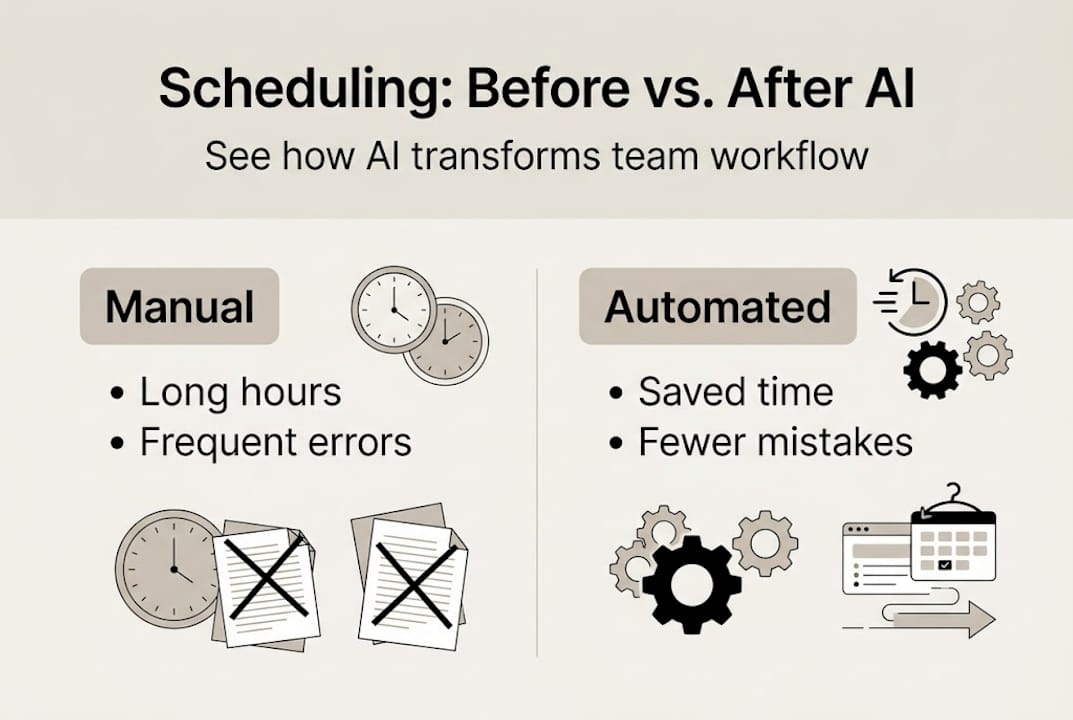
For a full picture of operational gains, pair scheduling data with time tracking strategies to capture where recovered hours are being reinvested.
Pro Tip: Send a short three-question survey to your team every month for the first quarter post-launch. Ask what is working, what is frustrating, and what they wish the system could do. The answers shape your next round of configuration improvements and signal to your team that their experience matters.
A new mindset: Why AI automation is not just a tool, it is a culture shift
Here is something most scheduling guides will not tell you: the technology is rarely the hard part. The hard part is convincing a team that a machine making calendar decisions is not a threat to their judgement or their role.
We have seen businesses invest in excellent AI scheduling platforms only to watch them gather dust because leadership treated the tool as an IT project rather than an organisational shift. The businesses that thrive with automation are the ones where leadership models the behaviour openly. They use the tool themselves. They celebrate time saved. They frame automation as a way to stop doing the tedious and start doing the meaningful.
Fostering a continuous-improvement culture means normalising the idea that your processes will always be a work in progress. Automation is not a finish line; it is a foundation. Review your time tracking productivity data regularly, share wins with the team, and encourage people to flag inefficiencies without fear of being seen as complainers. That feedback loop is where the compounding gains live.
Take the next step: Streamline your scheduling with AI
If this guide has shown you anything, it is that smarter scheduling is not a luxury reserved for enterprise companies with dedicated IT teams. It is available to you right now, and the payoff is measurable.

HumanOS AI automation brings together a full suite of AI agents purpose-built for small and mid-sized businesses, including scheduling automation that integrates directly into your existing workflows. No coding required, and no credit card needed to start. Explore our AI agent solutions to see how scheduling fits into a broader automation strategy, or review our web services for automation if your digital infrastructure needs a stronger foundation first. The operational gains are guaranteed, and the starting point is simpler than you think.
Frequently asked questions
How long does it take to implement an AI scheduling system?
Most small businesses can implement and see results from AI scheduling tools within two to four weeks, especially with proper preparation and team onboarding in place beforehand.
What features should I prioritise in AI scheduling software?
Focus on calendar integration, real-time conflict detection, and automated reminders, as selecting the right features is what separates a tool that transforms your workflow from one that simply adds complexity.
How can I measure the ROI of my new scheduling process?
Track time saved, reduction in booking errors, and team satisfaction scores monthly. Reviewing these metrics consistently gives you a clear picture of where your investment is paying off.
Will my team need training when switching to AI scheduling?
Yes, and it is worth investing in properly. User training greatly increases adoption rates and ensures your team uses the full feature set rather than defaulting back to old habits.