

TL;DR:
- Businesses spend significant time manually managing documents, causing inefficiency and lost opportunities.
- Document automation enables quick, accurate, and integrated document processing, saving up to 80% of handling time.
- Starting small with measurable goals and iterative improvements maximizes success and ROI for SMBs.
Businesses spend 30% of their time managing documents manually. That is not a small inefficiency. It is a structural drain on your team's focus, your revenue, and your ability to grow. Every contract typed from scratch, every invoice chased by hand, and every onboarding form filled in manually is time your business will never recover. Document automation changes that equation entirely. This guide covers what document automation actually means, how it works in practice, why it matters for small and mid-sized businesses, and how you can start implementing it without overhauling everything at once.
Table of Contents
- What is document automation?
- How does document automation work?
- Why should SMBs invest in document automation?
- Getting started with document automation
- What most guides get wrong about document automation
- Ready to take the next step with document automation?
- Frequently asked questions
Key Takeaways
| Point | Details |
|---|---|
| Automation saves time | Automating documents can reduce manual work and free up time for higher-value business tasks. |
| Boosts SMB efficiency | Small businesses see fewer errors, faster approvals, and accelerated processes with document automation. |
| High ROI potential | Strategic use of document automation delivers measurable cost savings and significant returns on investment. |
| Easy to start | Most companies can begin automating key documents within weeks by focusing on simple, high-impact tasks. |
What is document automation?
Document automation means using technology to generate, manage, and process documents without manual work. Instead of opening a blank template, filling in client details, formatting fields, and emailing the result, the system handles all of that for you. You define the rules once, connect your data sources, and the documents produce themselves.
A lot of business owners assume document automation is only for large enterprises with dedicated IT teams. That is a misconception worth correcting. Modern platforms are built specifically for smaller operations, and they require no coding to set up. Another common myth is that automation just means better templates. It goes much further than that.
True document automation includes:
- Auto-generation from live data: Pull client names, amounts, dates, and terms directly from your CRM or spreadsheet.
- Conditional logic: If a client is in Quebec, the contract automatically includes French-language clauses. If an invoice exceeds a threshold, it routes to a manager for approval.
- Digital signatures: Contracts get signed without printing, scanning, or emailing attachments back and forth.
- Automated storage and filing: Completed documents land in the right folder, tagged and searchable, without anyone lifting a finger.
- Workflow triggers: A signed contract can automatically trigger an onboarding email, a task in your project management tool, or an entry in your accounting software.
Think of it this way: business process automation is the broader category, and document automation is one of its most immediately impactful applications.
"The goal is not to replace human judgement. It is to eliminate the mechanical, repetitive work that surrounds it so your team can focus on decisions that actually require a person."
Common document types that SMBs automate include client contracts, service proposals, invoices and receipts, employee onboarding packets, compliance reports, and non-disclosure agreements. If you are generating the same type of document more than a few times a month, it is a strong candidate for automation.
How does document automation work?
Understanding what document automation is, the next step is to see how it operates in practice. Most modern platforms are cloud-based, AI-powered, and built to integrate with the tools you already use. The underlying process follows a logical sequence.
- Data collection: Information is pulled from a source, such as a form submission, a CRM record, or a spreadsheet row.
- Template activation: The system selects the correct document template based on the document type or trigger condition.
- Rules and logic applied: Conditional fields populate based on the data. A residential client gets different terms than a commercial one, automatically.
- Document generation: The finished document is created in seconds, formatted correctly and ready to send.
- Review and approval routing: If required, the document routes to a team member or manager before it moves forward.
- Digital signature: The recipient signs electronically, and the system records the timestamp and confirmation.
- Storage and follow-up: The signed document files automatically, and any downstream triggers fire, such as a welcome email or a payment request.
Automation workflows can cut document handling time by up to 80%. That is not a rounding error. For a business processing 50 contracts a month, that translates to dozens of recovered hours every single month.
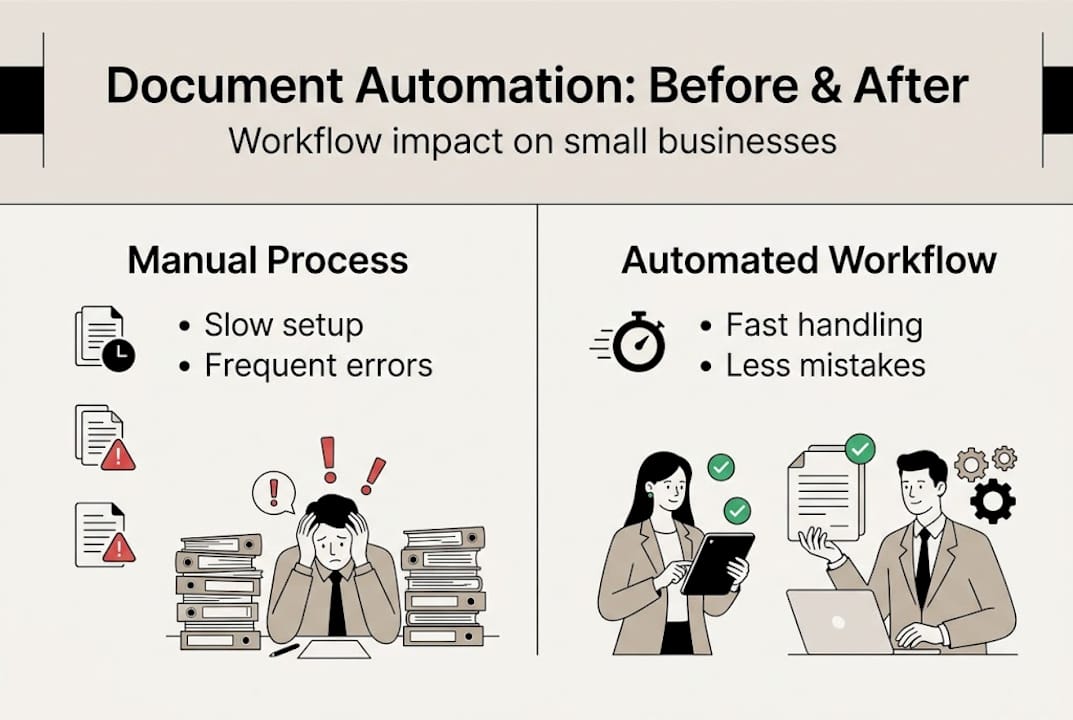
| Step | Traditional workflow | Automated workflow |
|---|---|---|
| Document creation | 20 to 40 minutes per document | Under 2 minutes |
| Error rate | High (manual entry) | Near zero |
| Approval speed | 1 to 3 days | Same day or instant |
| Storage and filing | Manual, inconsistent | Automatic and searchable |
| Integration with other tools | None or manual | Real-time and seamless |
Most platforms integrate directly with tools like HubSpot, QuickBooks, Salesforce, Google Workspace, and Slack. You do not need to rebuild your tech stack. You connect automation to what already exists and let it fill the gaps.
Pro Tip: Start with the single highest-volume document your team produces. Automate that one type first, measure the time saved, and use that result to build internal support for expanding automation further.
Why should SMBs invest in document automation?
Now that you know how it works, let's explore why it matters for your specific business. The benefits go well beyond saving a few hours a week. They compound over time and touch nearly every part of your operation.
Time savings are the most visible gain. When your team stops manually drafting, formatting, and filing documents, they reclaim time for work that actually moves the business forward. Fewer errors follow naturally. Manual data entry introduces mistakes that cost money to fix and trust to repair. Automated documents pull from verified sources, so the data is accurate from the start.

Faster approvals mean faster revenue. A proposal that used to take three days to finalise and send can go out in minutes. Clients receive a professional document quickly, and the approval cycle shortens because digital signatures remove the friction of printing and scanning.
Compliance and audit trails become effortless. Every document is timestamped, version-controlled, and stored consistently. When a regulatory review or client dispute arises, you have a complete record without scrambling through email threads.
Here is a summary of the immediate and long-term gains:
- Reduced labour costs on administrative tasks
- Faster client onboarding and contract turnaround
- Fewer compliance risks and cleaner audit trails
- Improved team morale as repetitive work disappears
- Scalable processes that grow with your business without adding headcount
- Consistent brand presentation across every client-facing document
SMBs report up to 430% ROI from strategic automation investments. That figure reflects not just time saved but the downstream effect on profitability with automation: faster deal cycles, fewer costly errors, and the ability to handle more volume without hiring.
Pro Tip: Before you automate, document your current process and time it. After your first automation is live, time it again. That before-and-after comparison becomes your internal business case for expanding automation across the organisation.
Getting started with document automation
Ready to implement? Here's how to start automating documents in your business. The most common mistake is trying to automate everything at once. That path leads to confusion, resistance from your team, and a project that stalls before it delivers results.
Digital transformation succeeds when automation starts with clear, measurable objectives. Pick one document type. Measure the current process. Set a target. Then build.
- Identify your highest-impact starting point. Look for documents that are high-volume, error-prone, or consistently slow. Invoices, contracts, and onboarding forms are common first choices.
- Select a platform that fits your stack. Choose a tool that integrates with your existing CRM, accounting software, or email platform. Compatibility matters more than features at this stage.
- Design your template and logic. Map out the fields that change per document and the conditions that affect content. Build the template with those variables in mind.
- Run a pilot with a small volume. Process 10 to 20 documents through the automated workflow before rolling it out fully. Catch edge cases early.
- Measure and iterate. Track time saved, error rates, and approval speed. Use that data to refine the workflow and justify the next automation project.
| Step | Manual onboarding | Automated onboarding |
|---|---|---|
| Welcome packet creation | 30 to 60 minutes | Under 5 minutes |
| Form collection | Email back-and-forth | Digital form, auto-filed |
| Contract signing | Print, sign, scan | E-signature in minutes |
| Data entry to CRM | Manual, often delayed | Instant and automatic |
| Follow-up scheduling | Manually booked | Triggered automatically |
Avoid automating a broken process. If your current onboarding is chaotic, automating it will just produce chaos faster. Fix the process logic first, then automate it. Also, do not skip team training. Even simple tools require a brief orientation so your team trusts the output and uses the workflow correctly.
Pro Tip: Plan your document automation as part of a broader business operations automation strategy. Documents rarely exist in isolation. Connecting them to your scheduling, email, and content automation for growth systems multiplies the impact significantly.
What most guides get wrong about document automation
Most articles on this topic treat document automation like a software purchase. Buy the tool, set it up, done. That framing misses the point entirely and sets businesses up for disappointment.
The real barrier is not technology. It is perfectionism. We see businesses spend months designing the perfect automated workflow before a single document goes through it. They want every edge case handled, every field mapped, every integration tested. By the time they launch, the team has lost interest and the momentum is gone.
Smaller businesses win at automation by starting imperfect and improving fast. Automate 80% of your invoice process in a week, then refine the remaining 20% over the next month. That approach delivers real results immediately and builds the internal confidence to keep going.
The other myth worth addressing is the idea that automation is an all-or-nothing commitment. It is not. Improving workflows with AI is a journey made of small, deliberate steps. Each one compounds. Each one frees up capacity for the next. The businesses that thrive are the ones that treat automation as an ongoing practice, not a one-time project.
Ready to take the next step with document automation?
If this guide has shown you anything, it is that document automation is not a luxury reserved for large corporations. It is a practical, accessible tool that SMBs can deploy quickly to recover time, reduce errors, and grow without adding overhead.

At HumanOS, our AI agents are built specifically to handle document processing, along with email management, scheduling, customer support, and more. The HumanOS platform requires no coding and no credit card to start, and our AI automation services are designed to deliver measurable results from day one. Start your free trial and see what automated operations actually feel like.
Frequently asked questions
What types of documents can be automated?
Most business documents, including contracts, invoices, onboarding forms, proposals, and reports, can be automated. Automated document workflows apply across a wide range of business uses, from client-facing to internal operations.
Is document automation expensive for small businesses?
Document automation is affordable for SMBs, with many platforms offering scalable pricing and fast returns. SMBs gain up to 430% ROI with strategic automation, making the investment straightforward to justify.
How long does it take to implement document automation?
Most businesses can automate their first workflow within days if they start with a single, well-defined document type. Rapid pilots deliver immediate value and build the confidence to expand automation further.
Can document automation integrate with my existing business apps?
Yes. Most modern platforms connect directly with CRMs, accounting software, and communication tools. Integration is central to effective business operations automation and ensures your documents trigger the right actions across your entire workflow.