

TL;DR:
- No-code automation is now essential for small and mid-sized businesses, enabling rapid workflow creation without coding.
- It offers significant benefits like cost savings, faster deployment, reduced errors, and scalable operations.
- Successful implementation relies on proper governance, team training, and focusing on people to maximize ROI.
Automation used to feel like something reserved for corporations with dedicated IT departments and six-figure software budgets. That narrative is finished. 70–75% of new apps built by small and mid-sized businesses now rely on low-code or no-code platforms, and that number keeps climbing. If you're still managing operations manually, you're not saving money — you're spending time you don't have. This guide breaks down exactly what no-code automation is, why it matters for your bottom line, how to cut through the myths, and how to launch your first automation project without writing a single line of code.
Table of Contents
- What is no-code automation?
- Key business benefits of no-code automation
- Tackling common myths and challenges
- How to get started with no-code automation in your business
- A hard-won lesson: Automation is about people, not just technology
- Automate your business — no coding required
- Frequently asked questions
Key Takeaways
| Point | Details |
|---|---|
| Accessible for everyone | No-code automation empowers non-technical business owners to digitise processes and boost productivity. |
| Rapid ROI | SMBs can reduce costs and see returns within weeks after implementing no-code solutions. |
| Avoid common risks | Proper governance ensures automation success and prevents shadow IT challenges. |
| People-centred automation | Successful automation focuses on team and customer needs as much as technology choices. |
What is no-code automation?
No-code automation lets you build workflows, apps, and integrations using visual drag-and-drop interfaces rather than programming languages. You don't need a developer. You don't need an IT team. You need a clear picture of a repetitive task and a tool designed to handle it.
Traditional automation required custom code, lengthy development cycles, and ongoing technical maintenance. A simple email routing workflow could take weeks to build and cost thousands of dollars in developer time. No-code flips that equation. What once took a specialist months can now be configured by a business owner in an afternoon.
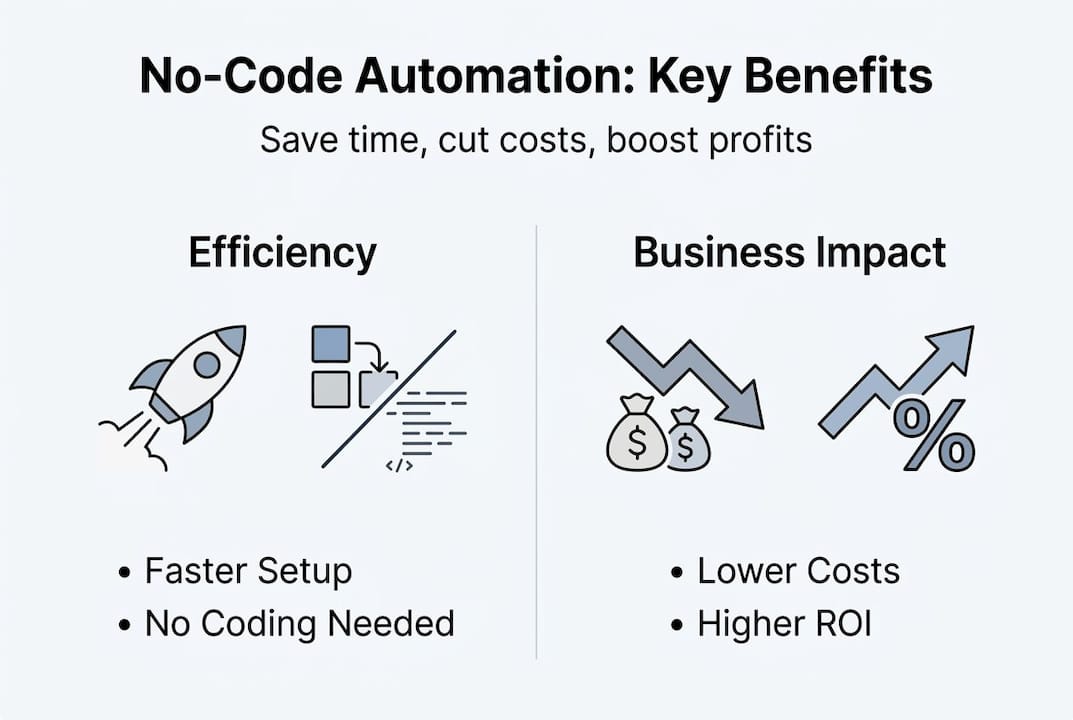
The market reflects this shift. No-code platforms are growing at a 16.3% compound annual growth rate, with Gartner projecting the market will reach $16.5 billion by 2027. Businesses are voting with their budgets, and the verdict is clear.
To understand the landscape, here's a quick look at common no-code platforms and where they shine:
| Platform | Best use case |
|---|---|
| Zapier | Connecting apps and automating triggers |
| Make (formerly Integromat) | Complex multi-step workflows |
| Airtable | Database management and project tracking |
| Webflow | Website building without code |
| Notion | Internal documentation and process management |
For SMBs, the most common starting points include:
- Email follow-up sequences triggered by form submissions
- Invoice generation linked to CRM updates
- Social media scheduling connected to content calendars
- Customer support ticket routing based on inquiry type
- Data reporting pulled automatically from multiple sources
If you want a broader view of how these tools fit into larger operational strategy, the business process automation guide is worth reading before you choose a platform.
Pro Tip: Start with one low-stakes task, like automating a weekly report or a new-client welcome email. You'll see immediate time savings and build confidence before tackling more complex workflows.
Key business benefits of no-code automation
No-code automation isn't just a convenience. It's a competitive lever. For SMBs operating on lean teams and tighter margins, the advantages are measurable and fast.
Cost reduction is the most obvious win. When your team can build and update automations without calling a developer, your IT backlog shrinks and your outsourcing costs drop. No-code reduces IT backlog significantly, freeing technical resources for higher-priority work.

Speed to deployment is equally powerful. Traditional software projects can drag on for months. No-code projects often go live in days. That agility lets you respond to market changes, customer feedback, and operational bottlenecks without waiting for a development sprint.
The financial returns are striking. Businesses that implement automation strategically have documented 430% ROI on their investment, with gains compounding over time as more processes get streamlined. Even in content operations, content automation delivers a 353% ROI for SMBs that commit to the approach.
Here's how the numbers compare when you move from manual to automated processes:
| Metric | Manual process | Automated process |
|---|---|---|
| Task completion time | Hours to days | Minutes |
| Error rate | 10–30% | Under 1% |
| Scalability | Limited by headcount | Scales without added staff |
| Monthly cost | High (labour-intensive) | Low (tool subscription) |
Beyond the numbers, here are the real-world benefits SMBs consistently report:
- Fewer errors in data entry, invoicing, and reporting
- Faster customer response times through automated routing and replies
- Consistent processes that don't depend on any one employee's memory
- More time for your team to focus on work that actually requires human judgement
- Scalable operations that grow with your business without proportional cost increases
The shift from reactive firefighting to proactive operations is real. Automation doesn't just save time. It changes how your business functions at a structural level.
Tackling common myths and challenges
Despite the clear advantages, many business owners hesitate. Usually, that hesitation is built on misconceptions worth dismantling directly.
Myth 1: You need to know how to code. This is the most persistent myth. No-code tools are designed specifically so that non-technical users can build functional automations. If you can use a spreadsheet, you can use most no-code platforms.
Myth 2: No-code only handles simple tasks. Modern no-code platforms support multi-step workflows, conditional logic, API connections, and real-time data processing. These aren't toys. They're production-ready tools used by businesses generating millions in revenue.
Myth 3: No-code isn't secure. Enterprise-grade platforms invest heavily in security infrastructure. The real risk isn't the tools themselves. It's how they're governed inside your organisation.
That governance piece matters enormously. No-code adoption requires oversight to prevent shadow IT, where employees build unauthorised automations that handle sensitive data outside of company policy. Without structure, you can end up with a tangle of disconnected tools nobody fully understands.
Here's how to avoid the most common pitfalls:
- Audit your existing tools before adding new ones. Understand what's already in use.
- Set a clear approval process for new automation projects so nothing goes live without review.
- Document every workflow so your team can maintain or update it if the original builder leaves.
- Restrict data access within your no-code tools to only what each automation genuinely needs.
- Review automations quarterly to catch outdated logic, broken connections, or security gaps.
For practical guidance on keeping your workflows clean and effective, the workflow automation tips resource covers this in depth.
Pro Tip: Assign one person as your automation lead. This doesn't need to be a technical role. It just needs to be someone who tracks what's running, what's working, and what needs updating.
How to get started with no-code automation in your business
Knowing the benefits is one thing. Taking action is another. Here's a practical framework for launching your first no-code automation project without overwhelm.
70–75% of SMB apps now use low-code or no-code platforms, which means the tools are mature, the support communities are large, and the learning curve is genuinely manageable. You're not pioneering uncharted territory. You're joining a well-worn path.
Follow these steps to get started:
- Identify your most repetitive tasks. Look for work your team does more than three times a week that follows a predictable pattern. Data entry, appointment reminders, and status update emails are classic starting points.
- Choose a no-code platform that fits your existing tech stack. If you use Gmail and Google Sheets, Zapier or Make will connect them easily. If you need a full workflow builder, consider a more robust platform.
- Run a pilot project in one department. Keep the scope narrow. Automate one task, measure the time saved, and document the result.
- Train your team on the new workflow before you retire the manual process. Adoption fails when people feel blindsided by change.
- Measure and iterate. Track time saved, error rates, and team feedback. Use that data to justify expanding automation to other areas.
Popular platforms worth evaluating:
- Zapier for connecting apps and simple trigger-based workflows
- Make for more complex, multi-branch automations
- HubSpot for marketing and CRM automation
- Monday.com for project and operations management
- Notion AI for internal knowledge and process documentation
For deeper guidance on building smarter workflows, explore AI-powered automation improvements and the full business operations automation guide for SMBs.
Measurement is what keeps momentum going. When you can show your team that a single automation saved 10 hours a month, the conversation about expanding shifts from "should we?" to "what's next?"
A hard-won lesson: Automation is about people, not just technology
Here's something most automation guides won't tell you: the technology is the easy part.
We've seen businesses implement sophisticated no-code workflows and still fail to realise meaningful gains. The reason is almost always the same. They automated the process but forgot about the people running it. Team members weren't trained properly. Nobody explained why the change was happening. Job roles weren't redesigned to take advantage of the freed-up time.
True ROI from automation only materialises when your people understand what changed, why it changed, and what they're now free to do instead. Automation should redirect human energy toward relationship-building, strategic thinking, and creative problem-solving — the work that actually compounds over time.
As a principle worth keeping close: technology accelerates what people build; it doesn't replace the building itself.
Before, during, and after any automation rollout, listen to your team. Their friction points reveal where the real bottlenecks are. Their feedback tells you what's actually working. Getting onboarding automation right, for example, depends entirely on understanding how new hires experience your current process, not just how managers describe it.
Automation built around your people lasts. Automation built around the tool alone rarely does.
Automate your business — no coding required
If this guide has shown you anything, it's that no-code automation is no longer optional for SMBs that want to stay competitive. The tools are ready. The ROI is proven. The only thing left is the first step.

The HumanOS AI Operating System is built exactly for this moment. It combines AI agents that handle email management, scheduling, document processing, customer support, and more, all through a self-guided onboarding system that requires no coding and no credit card to start. On average, HumanOS drives an 80% boost in productivity and a 30–50% boost in profitability. You can automate with AI Agents today and see what your business looks like when the mundane stops eating your best hours.
Frequently asked questions
What types of business tasks can be automated with no-code tools?
You can automate repetitive processes like data entry, email follow-ups, scheduling, document creation, and marketing workflows. SMBs gain efficiency across virtually every department using no-code platforms.
Is no-code automation secure enough for business operations?
Most enterprise-grade no-code tools include strong built-in security features, but governance policies and access monitoring are essential. Oversight prevents shadow IT and keeps sensitive data protected.
How quickly can my business see a return on investment with no-code automation?
Many SMBs see measurable returns within weeks for straightforward projects. Strategic automation delivers up to 430% ROI when implemented with clear goals and consistent measurement.
Do I need technical staff to manage no-code automation tools?
No. The best no-code tools are designed so that non-technical users can build and update automations independently. No-code enables business users to deploy solutions without any programming knowledge.