

TL;DR:
- GCC compliance for small businesses can mean either regulatory adherence in the GCC region or code standard compliance in software development. Automating ongoing compliance through mapping requirements, embedding evidence collection, and maintaining dynamic registers helps mitigate risks and build a proactive compliance culture. Integrating automation into daily workflows transforms compliance from a burdensome checklist into a strategic competitive advantage.
GCC compliance trips up more small and mid-sized businesses than most operators care to admit. The term itself carries two entirely different meanings depending on your industry context, and the confusion between them costs businesses real money in missed obligations, regulatory penalties, and wasted development cycles. Whether you're navigating the regulatory landscape of Gulf Cooperation Council operations, managing an India-based Global Capability Centre, or keeping your software builds aligned with ISO language standards, the path forward is the same: stop treating compliance as a one-time event and start automating it as an ongoing discipline.
Table of Contents
- What does GCC compliance actually mean?
- Key requirements: GCC compliance for your business
- Common pitfalls: Why checklist thinking is risky
- How automation transforms GCC compliance for SMBs
- A quick note: GCC in software development (GNU Compiler Collection))
- Our take: What most SMBs get wrong about GCC compliance
- Ready to automate compliance? Take the next step
- Frequently asked questions
Key Takeaways
| Point | Details |
|---|---|
| Clarify GCC meaning | GCC compliance has both regulatory and software meanings—know which applies to your business. |
| Go beyond checklists | Live, ongoing compliance is safer and far more effective than just ticking setup boxes. |
| Automate for efficiency | Automation tools dramatically reduce manual work and compliance risks for SMBs. |
| Tech teams need vigilance | If using GCC compilers, mind the differences between stable and experimental standard support. |
What does GCC compliance actually mean?
Before you can solve a problem, you need to know which problem you're actually solving. GCC compliance is genuinely one of those terms that means completely different things to different people sitting in the same boardroom.
The most common business interpretation is regulatory. As legal compliance checklists confirm, "GCC compliance" most commonly refers to regulatory and compliance obligations for Global Capability Centres located in the Gulf Cooperation Council region, or for GCC units operating as offshore capability hubs, particularly those set up in India. This covers everything from HR contracts and tax filings to data residency rules and cybersecurity protocols. If you're running or planning any kind of GCC operation, this definition is almost certainly the one that governs your risk exposure.
The secondary meaning belongs to software development. The GNU C++ standard support documentation clarifies that GCC compliance in a compiler context means adhering to language standards via "-std=` modes, with features like C++20 now the default in GCC 16, and C++26 support still marked as experimental. For tech-driven SMBs or startups building software products, getting this wrong can mean unstable builds, broken compatibility, or downstream security vulnerabilities.
Here's a quick side-by-side to help you identify which definition applies to your business:
| Dimension | Regulatory GCC (business) | GCC compiler (software/IT) |
|---|---|---|
| Full form | Global Capability Centre / Gulf Cooperation Council | GNU Compiler Collection |
| Primary concern | Legal, HR, tax, and data obligations | Language standard conformance |
| Key risk | Regulatory penalties and operational shutdowns | Build failures and ABI incompatibility |
| Who it affects | Business operators and compliance teams | Developers and DevOps engineers |
| Audit cadence | Continuous with quarterly reviews | Per release cycle |
| Automation benefit | Workflow and document automation | Build pipeline flags and CI/CD controls |
Knowing which definition applies to you is step one. Most SMBs only discover they've been navigating the wrong framework after they've already paid for it. Solid workflow automation tips can help you build the right process from day one, regardless of which GCC context you're operating in.
Scenarios where each definition applies:
- Your company is establishing a shared services centre in Dubai or Riyadh: regulatory GCC compliance applies
- You're incorporating a tech entity in Bangalore as an offshore capability hub: both definitions could apply simultaneously
- Your startup builds C++ software for embedded systems or fintech applications: compiler GCC compliance is your concern
- You're operating a multi-country business and hiring across Gulf states: regulatory compliance governs your HR and tax obligations
Key requirements: GCC compliance for your business
Clarifying the business-focused definition lets us explore the core requirements every small business should understand. These aren't abstract legal concepts. They're specific obligations with real deadlines, real penalties, and real operational consequences.

As GCC setup compliance guides outline, the primary coverage areas for any GCC-type operation include labour and HR, tax and transfer pricing, data protection and cybersecurity, and statutory registrations and filings. For SMBs without dedicated legal teams, each of these categories represents a potential gap.
| Compliance area | What it covers | Why it matters for SMBs |
|---|---|---|
| Labour and HR | Contracts, payroll, working hours, employee benefits | Non-compliance triggers penalties and disputes |
| Tax and transfer pricing | Corporate tax filings, intercompany pricing documentation | Incorrect filings attract audits and back-payments |
| Data protection | Local data residency, encryption, access controls | Breaches carry fines and reputational damage |
| Cybersecurity | Incident response plans, audit trails, segregation | Regulators increasingly treat this as mandatory |
| Statutory registrations | Business licences, renewal filings, compulsory audits | Missing deadlines causes forced operational halts |
The most important insight here is that continual compliance monitoring requires treating compliance as a living programme rather than a setup checklist. Access controls, audit trails, encryption protocols, and localised data controls all need to remain active and updated, not just implemented once at launch.
Here are the steps to maintain active compliance throughout the year:
- Build a master compliance register that maps every obligation to a specific owner and deadline
- Schedule recurring reviews for each compliance category, not just an annual audit
- Automate document collection for HR contracts, tax filings, and data processing records
- Set up real-time alerts for regulatory changes affecting your operating jurisdictions
- Conduct a quarterly internal audit against your live compliance register
- Document all incidents and responses, including near-misses, in a centralised log
- Review your SMB efficiency checklist semi-annually to identify process gaps before they become regulatory gaps
Pro Tip: Replace your static annual checklist with a dynamic compliance calendar that auto-populates deadlines based on your business activities and jurisdictions. Tools that integrate with your calendar and project management systems turn compliance from a scramble into a routine.
Common pitfalls: Why checklist thinking is risky
Understanding the full scope of compliance is one thing, but avoiding the trap of checklist-only thinking is even more vital. This is where most SMBs quietly fail, often without realising it until a regulator or auditor points it out.
Static compliance approaches create a false sense of security. You complete the setup requirements, tick the boxes, and assume the job is done. But regulations change, business operations evolve, and new risks emerge continuously. A checklist you completed twelve months ago tells you almost nothing about your current compliance posture.
"Compliance programs should account for legal and data-residency and security requirements, including access controls, audit trails, encryption, segregation, and localised controls, rather than treating compliance as a checklist only at setup." Managing regulatory complexity makes clear that the obligation doesn't end at launch.
Here's what static checklist thinking actually looks like in practice, and why each failure mode is costly:
- Outdated HR contracts: Employment law changes after your setup. Your contracts now contain clauses that are legally non-compliant, but nobody flagged it because the next review isn't for another eight months.
- Lapsed data residency controls: Your cloud provider updated their infrastructure and shifted certain data to a new region. Your data now lives outside your approved jurisdiction. You find out during an audit.
- Missing audit trails: You assumed your project management tool was logging the right information. It wasn't capturing the specific evidence the regulator needs, and you have no way to reconstruct it retroactively.
- Ignored regulatory updates: A new cybersecurity directive quietly came into effect. Because your compliance review is annual, you've been non-compliant for six months before anyone noticed.
- Transfer pricing gaps: Your intercompany transactions grew as the business scaled, but your documentation didn't keep pace. A routine tax review reveals significant exposure.
The answer isn't hiring a full-time compliance team, which most SMBs can't afford. It's improving team productivity with AI so that compliance monitoring becomes embedded in how your business actually operates, not a separate function that competes for bandwidth.
How automation transforms GCC compliance for SMBs
So, if static checklists pose such dangers, how do you actually keep compliance alive and simple without draining resources? Enter automation.
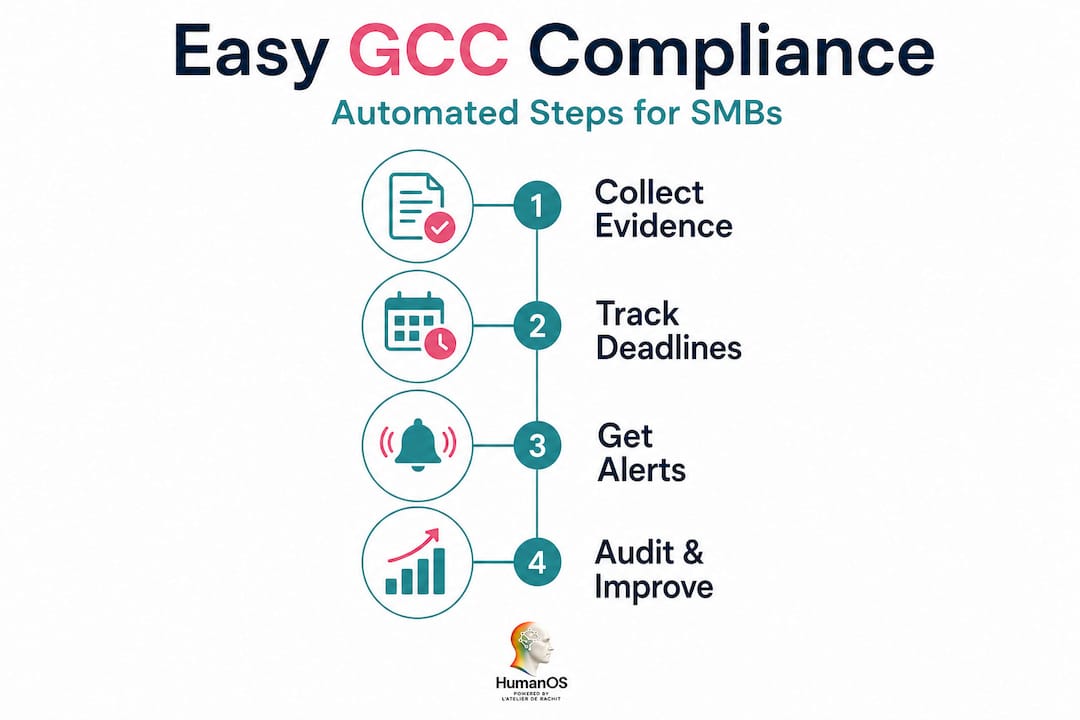
The framework that works best for lean teams is built on three interconnected pillars. Efficient compliance automation for SMBs works best when you map requirements to controls and processes, implement evidence collection and audit trails directly in workflows, and maintain a live compliance register with continuous monitoring and internal audits rather than relying solely on annual submissions.
Here's how to introduce automation into your compliance process:
- Map your obligations first. Before automating anything, list every compliance requirement by category, jurisdiction, and frequency. You can't automate what you haven't defined.
- Embed evidence collection in daily workflows. Use your existing tools, whether that's email, document management, or HR software, to automatically capture and tag compliance-relevant actions as they happen.
- Build a live compliance register. This is a dynamic document or dashboard that shows the current status of every obligation in real time, not a static spreadsheet you update once a year.
- Set automated reminders and escalations. Configure alerts for upcoming deadlines, overdue tasks, and policy changes so nothing falls through the cracks between reviews.
- Automate your internal audit process. Use templated audit workflows that trigger on a set schedule, pulling evidence from your integrated systems automatically.
- Review and iterate quarterly. Automation isn't a set-and-forget solution. Review your workflows every quarter and adjust for regulatory changes or shifts in business operations.
You can explore practical approaches through this automation guide for SMBs, which outlines how lean teams can build compliance automation without enterprise-level budgets or IT departments.
The automated workflow benefits extend well beyond saved time. Real-time risk alerts mean you know about a compliance gap before the regulator does. Automated documentation creates an auditable trail that proves your controls are active. And consistent evidence collection removes the last-minute scramble that makes audit season so painful for SMBs.
Pro Tip: Start with the most repetitive evidence collection tasks. Automating payroll record logging, contract version tracking, and data access logs delivers immediate value with minimal setup effort. These are the areas where manual processes fail most often and where automation pays back fastest.
A quick note: GCC in software development (GNU Compiler Collection)
For tech-driven SMBs using open-source compilers, GCC compliance also carries a distinct and vital meaning. Let's look at what to keep in mind.
If your business builds software in C or C++, compiler compliance isn't optional. The GNU C++ status page shows that GCC compliance means explicitly adhering to language standards via -std= flags, with C++20 now the default in GCC 16 and C++26 still carrying experimental status. Similarly, the GNU C status page confirms that using GCC's -std options intentionally is essential, and treating experimental standard support as a risk matters for ABI stability and backward compatibility.
Practical reminders for SMB tech teams relying on GCC:
- Always specify the
-std=flag explicitly in your build scripts. Never rely on the compiler default, which can change between major releases. - Treat any feature marked "experimental" as a liability for production and business-critical applications. Experimental means incomplete conformance and potential ABI breakage.
- Pin your GCC version in your build pipeline and test thoroughly before upgrading. A GCC major version change can introduce subtle standard conformance shifts that break existing code.
- Document which C or C++ standard each codebase targets. Make this part of your onboarding and code review process, not institutional knowledge that leaves with a developer.
- Review upstream release notes for each GCC version you adopt, particularly for any changes to default standards or deprecated features.
These are small operational habits. But in a business context, ignoring them creates technical debt that compounds quickly and silently.
Our take: What most SMBs get wrong about GCC compliance
Having laid out both the requirements and the automation roadmap, here's our grounded perspective on what truly makes GCC compliance work for SMBs.
Most operators treat compliance the same way they treat fire drills: something you do because you have to, rushed through as quickly as possible, and forgotten until the next scheduled alarm. This creates a compliance posture that looks functional on paper but is genuinely fragile under any scrutiny.
The real problem isn't a lack of information. It's a lack of integration. Compliance lives in a separate folder, a separate tool, or a separate team. It's disconnected from the daily rhythms of the business. That disconnect is exactly where regulatory exposure hides.
The businesses that get compliance right aren't the ones with the most thorough checklists. They're the ones that have woven compliance actions directly into how they operate every day. When a new contract gets signed, the compliance system knows. When a data access event occurs, the audit trail captures it automatically. When a regulatory deadline approaches, the right person gets a precise, timely alert.
This shift is less about compliance software and more about compliance culture. And automation is the enabler of that culture. The strategic automation insights show that businesses achieving significant productivity gains aren't just automating tasks. They're redesigning how accountability flows through their operations.
The uncomfortable truth is that compliance done right is actually a competitive advantage. When your processes are clean, your documentation is current, and your controls are active, you move faster. You onboard partners more easily. You pass audits with less drama. You build the kind of operational credibility that enterprise clients and regulators respond to with trust.
Stop treating compliance as a cost of doing business. Start treating it as infrastructure for growth.
Ready to automate compliance? Take the next step
If you're ready to stop letting compliance slow you down, here's how you can put these insights to work right now.
HumanOS AI agents are built precisely for what you've just read about: embedding compliance-relevant automation directly into your daily operations. From automated document processing and audit trail capture to scheduling compliance reviews and managing regulatory calendars, our AI-driven platform handles the repetitive work so your team focuses on the decisions that actually matter.

Explore our AI automation services to see how we help SMBs build always-on compliance workflows without the overhead of dedicated compliance staff. And if you want a practical starting point, our guide to AI workflow solutions walks you through exactly how to integrate automation into existing operations. No coding required. No credit card needed to start.
Frequently asked questions
What are the most critical GCC compliance areas for a small business?
The most critical areas are HR and labour obligations, corporate tax, statutory registrations, and strong data protection controls, all of which carry direct penalty risk if neglected, as confirmed by GCC setup requirements.
How often should I audit my GCC compliance processes?
Review compliance continuously using a live register, with at least quarterly internal audits, as ongoing compliance management requires proactive gap analyses rather than annual check-ins alone.
What's the fastest way to automate compliance evidence collection?
Integrate automation tools directly into your existing workflows to capture and store compliance evidence as you operate, not just at reporting deadlines, a practice endorsed by lean compliance automation frameworks.
Is GCC compliance relevant if I only use the GCC compiler?
Yes. If your business builds software with GCC, you must select the right language standards using -std= flags and track upstream changes, as GNU C++ standard support shows that default standards and experimental feature status change across major releases.