

TL;DR:
- Self-guided onboarding uses automation and digital tools to improve efficiency and consistency.
- It reduces onboarding time from weeks to days, saving resources and increasing user satisfaction.
- No-code automation makes implementation accessible, focusing on early wins and continuous improvement.
Most business owners assume that onboarding, whether for a new hire, a new client, or a new software tool, must eat up hours of staff time and mountains of documentation. That assumption is costing you more than you realise. Self-guided onboarding flips the script entirely, replacing slow, manual handholding with automated digital pathways that let users move at their own pace, make progress independently, and reach full productivity faster than traditional methods ever allowed. This guide breaks down exactly what self-guided onboarding is, how it works in practice, and why it may be the single most leveraged improvement a small or mid-sized business can make right now.
Table of Contents
- What is self-guided onboarding?
- How self-guided onboarding works: key components
- Self-guided vs. traditional onboarding: a practical comparison
- Best practices for implementing self-guided onboarding
- Why most SMBs underestimate self-guided onboarding
- Automate onboarding for better growth
- Frequently asked questions
Key Takeaways
| Point | Details |
|---|---|
| Time-saving automation | Self-guided onboarding speeds up the process and reduces manual effort for your team. |
| User-driven flexibility | Users complete onboarding steps at their own pace with clear digital instructions. |
| Higher consistency | Automated systems deliver the same high-quality information to every new team member. |
| Easier scaling | Self-guided onboarding supports business growth without bottlenecks or extra costs. |
What is self-guided onboarding?
Onboarding has always been a bottleneck. A new team member joins and a senior colleague spends three days walking them through processes. A new client signs on and your ops manager is stuck running orientation calls for a week. Sound familiar? The frustration is real, and it compounds quickly as you grow.
Self-guided onboarding offers a fundamentally different approach. Rather than relying on a person to guide every step, it uses automated systems and structured digital pathways to move users through a defined process independently. As one clear definition puts it, self-guided onboarding uses automated systems, interactive checklists, and simple digital tools to help new users or staff familiarise themselves without direct oversight. The user controls the pace. The system controls the consistency.
This model differs from traditional onboarding in several important ways:
- Traditional onboarding relies on scheduled sessions, printed manuals, one-on-one walkthroughs, and the availability of a knowledgeable team member to answer questions in real time.
- Self-guided onboarding relies on automated triggers, progress tracking, embedded instructions, and interactive tools that respond to the user's actions, not a trainer's schedule.
- Flexibility is built in from the start. Users can revisit steps, move quickly through familiar sections, and slow down where they need more time.
- Consistency is guaranteed. Every user sees the same quality of instruction, regardless of who is available on any given day.
"The goal of self-guided onboarding is not to remove the human element entirely. It's to reserve human attention for the moments that genuinely require it."
For small and mid-sized businesses operating with lean teams, this distinction matters enormously. You cannot afford to have your best people stuck in repetitive orientation sessions when those same people could be closing deals, serving clients, or solving real problems. Learning the onboarding automation basics is the first step toward reclaiming that time.
How self-guided onboarding works: key components
With the basics clear, it's helpful to explore exactly how self-guided onboarding operates and what makes it unique. The magic, if you want to call it that, is in the combination of well-designed tools working together invisibly in the background.
Automation platforms use step-by-step guides, real-time feedback, and trigger-based workflows to streamline onboarding. Each of these components plays a specific role:
| Component | Function | Business benefit |
|---|---|---|
| Interactive checklists | Guide users through each required step | Ensures nothing is missed |
| Automated triggers | Send reminders or unlock next actions based on progress | Keeps momentum without manual nudging |
| Real-time feedback loops | Alert users to errors or missing information immediately | Reduces rework and confusion |
| Progress dashboards | Show completion status at a glance | Gives managers visibility without micromanaging |
| Embedded instructions | Deliver context-sensitive guidance exactly when needed | Reduces the need for external support |
Each of these components reinforces the others. A checklist item completed triggers the next module to unlock. An incomplete step generates an automated follow-up message. A mistake in a form produces an instant correction prompt rather than a delayed email from a team member three days later.
Here is what a well-built self-guided onboarding flow typically looks like in action:
- The user receives a single welcome message with a clear starting point.
- They work through an interactive checklist at their own pace, completing tasks in a logical sequence.
- Each completed task triggers the next, with no waiting for a trainer to say "okay, now move on."
- If the user stalls, an automated reminder arrives at a set interval. Not pushy. Just timely.
- Feedback is immediate. If something is done incorrectly, the system flags it right away.
- At the end, a completion summary is generated for both the user and the manager.
This is what AI onboarding efficiency looks like in practice. It is structured, scalable, and designed to work without a person watching over every step.

Pro Tip: Keep your first onboarding checklist to seven steps or fewer. Users who see a fifteen-step process on day one often disengage before they start. Build confidence with early wins, then layer in complexity as they progress. Explore workflow automation tips to structure these steps effectively.
Self-guided vs. traditional onboarding: a practical comparison
Once the tools and steps are clear, the next natural question is how these methods actually stack up against the old way of onboarding. The answer, backed by data, is pretty striking.
Automated onboarding can improve efficiency and speed while reducing manual workload for team members. But what does that look like in concrete terms?
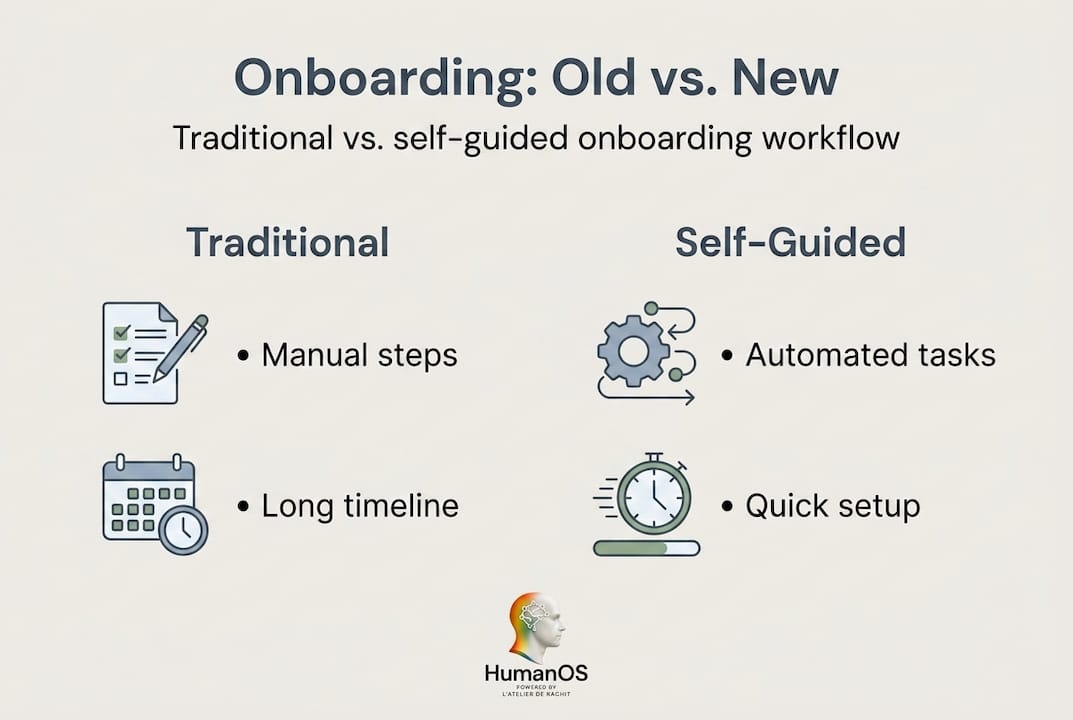
| Factor | Traditional onboarding | Self-guided onboarding |
|---|---|---|
| Time to complete | 1 to 4 weeks depending on availability | 2 to 7 days on average |
| Staff resource requirement | High (trainer time, scheduling, oversight) | Low (setup investment, minimal ongoing effort) |
| Consistency of knowledge transfer | Variable (depends on who is training) | High (same process every time) |
| User satisfaction | Often low due to rigid scheduling | Higher due to flexibility and autonomy |
| Error rates | Elevated (verbal instructions misunderstood) | Lower (written, repeatable, with real-time correction) |
| Scalability | Limited by trainer availability | Scales with zero additional cost |
The numbers make the case clearly. But the qualitative story is equally compelling. Traditional onboarding puts enormous pressure on your most experienced people. They are the ones who know the process well enough to teach it, which means they are also the ones you can least afford to pull away from their primary roles.
Self-guided onboarding shifts that dynamic completely. You invest time once, building and refining the process. After that, it runs without you. New users, new hires, new clients: they all move through the same reliable experience while your senior team focuses on growth.
Stat to note: Businesses that invest in structured onboarding processes see new hire productivity improve by over 70% compared to those using informal methods, according to onboarding research widely cited across HR and operations literature.
This is exactly why the operations automation guide consistently points businesses toward self-guided approaches. The ROI is not theoretical. It shows up in reduced training costs, faster ramp-up times, and measurably better outcomes for users.
Pro Tip: Run a simple audit before switching. Time how long your current onboarding takes from start to full productivity. Then set that number as your benchmark and measure against it after implementing self-guided onboarding. Improving business workflows starts with knowing exactly where the time is going today.
Best practices for implementing self-guided onboarding
Now that you know how self-guided onboarding compares with traditional methods, these practical steps will help you get it right. Implementation is where most businesses either see massive results or stumble. The difference usually comes down to preparation.
Successful automation requires setting clear goals, choosing the right platform, and regularly analysing feedback. Build your implementation around those three pillars.
Here is a practical sequence to follow:
-
Define your objectives clearly. What does success look like? Is it a new hire reaching full productivity in five days instead of twenty? Is it a client completing setup without a single support ticket? Write the outcome down before you build anything.
-
Map the user journey from their perspective. Walk through the onboarding process as if you are the new user. Where do people get confused? Where do they typically need help? Those are the spots where your automated guidance needs to be sharpest.
-
Select the right tools for your workflow. Not every automation platform fits every business. Look for tools that offer interactive checklists, trigger-based workflows, and real-time feedback. Avoid platforms that require heavy coding to customise.
-
Start with one process, not all of them. Trying to automate every onboarding workflow simultaneously is a recipe for delays and frustration. Pick your highest-volume, most repetitive process and build there first. Perfect it. Then expand.
-
Monitor completion data from day one. Track where users drop off. Track how long each step takes. Track satisfaction scores if you collect them. This data tells you exactly where the process needs refinement.
-
Create a feedback channel. Even the best self-guided system needs a way for users to ask questions or flag confusing steps. A simple form or an automated "did this help?" prompt at the end of each module is enough to collect actionable insight.
-
Iterate continuously. Onboarding is not a set-it-and-forget-it exercise. Revisit the process quarterly. Update instructions when procedures change. Remove steps that add friction without adding value.
"Perfection is the enemy of a live system. A functional self-guided onboarding process that runs today is worth infinitely more than a perfect one that is still being planned next quarter."
Common pitfalls to watch for include: overloading users with too many steps in the first session, using internal jargon that new users cannot yet understand, and neglecting mobile usability. Many users will complete onboarding on a phone. If your process is designed only for desktop, you will lose people before they finish.
Measuring success should focus on three core metrics: time to full productivity, process completion rates, and user satisfaction scores. If your completion rate is below 80%, something in the process is creating friction. Investigate before assuming users are the problem. Explore strategic automation ROI strategies and improving team productivity methods to sharpen your metrics and your results.
Why most SMBs underestimate self-guided onboarding
Here is something we see consistently, and it is worth saying plainly: most small and mid-sized businesses know that their onboarding is inefficient. They just do not believe the fix is as accessible as it actually is.
The resistance usually comes from two places. First, there is a fear of losing the personal touch. Owners worry that replacing human guidance with automated workflows will feel cold to new hires or clients. Second, there is an assumption that building a self-guided system requires significant technical expertise. Both concerns are understandable. Both are largely outdated.
The personal touch argument misses a critical point. What feels warm about traditional onboarding is not the inefficiency of it. It is the care behind it. Self-guided onboarding does not remove care. It removes chaos. When your team is no longer scrambling to run repetitive orientation sessions, they have more capacity to show up for the moments that actually need a human: a difficult question, a relationship conversation, a strategic decision.
The technology barrier argument has also collapsed. Modern no-code automation benefits have made it possible to build sophisticated self-guided onboarding workflows without writing a single line of code. If you can outline a process in a document, you can automate it with today's tools.
What we have learned from working with SMBs across industries is that adoption is far less about technical capability and far more about change management. The question is never "can we build this?" It is "do we have enough internal buy-in to see it through?" That buy-in comes from focusing on simple, early wins rather than trying to transform the entire operation at once. Start with the one onboarding process that frustrates your team the most. Automate it. Show the result. Use that momentum to build the next one.
Even a basic self-guided onboarding system, one with a simple checklist and two or three automated reminders, reduces the average onboarding time significantly. The ROI compounds from there. Businesses that commit to this shift consistently report not just time savings, but a measurable improvement in the quality of how new users settle into their roles or relationships.
Automate onboarding for better growth
Self-guided onboarding is not a future concept. It is available right now, and businesses that adopt it early are already pulling ahead of those still running manual orientation sessions. The path from onboarding bottleneck to streamlined, automated system is shorter than you think.

At HumanOS, we have built an AI automation for onboarding platform specifically for small and mid-sized businesses that are ready to stop losing hours to repetitive manual processes. Our AI agents handle the routine, the reminders, and the consistency, so your team handles the human work that actually matters. No coding required. No credit card needed to start. The HumanOS automation platform is designed to deliver at least a 30% improvement in productivity and profitability, with guaranteed results backed by over a decade of systems architecture experience and a BBB A-rating. Your next great hire or client deserves a great start. Give them one.
Frequently asked questions
How long does it take to set up self-guided onboarding?
Most platforms allow a basic self-guided onboarding process to be set up within a few days, depending on the complexity of your workflow and how many steps need to be mapped.
Can self-guided onboarding replace all manual training?
Self-guided onboarding handles repetitive and clearly defined processes very well, but automated onboarding works best for repetitive processes, and human involvement remains valuable for nuanced or complex topics that require judgement and context.
What tools are used for self-guided onboarding?
Businesses use automation platforms, interactive digital checklists, and AI-based guidance tools to build self-guided onboarding, and AI onboarding platforms provide digital pathways and step-by-step instructions that adapt to user progress.
How do you measure success with self-guided onboarding?
Track completion rates, user satisfaction scores, and time-to-productivity as your primary metrics, since success should be measured by how quickly and effectively new users reach full productivity after completing the process.